WatchYourLAN Alternative With iPhone Alerts, and Who Should Stay
Short version. WatchYourLAN is a light, MIT-licensed scanner that lists the hosts on your network, sends a notification through Shoutrrr when a new one appears, and exports to InfluxDB2 or Prometheus; its last release was 2.1.4 on 2025-09-10. PingKit Agent does the same core job on a 64-bit Pi 4 or 5, in Docker or in Home Assistant, and adds Internet Down alerts, a year of history, Home Assistant entities and PingKit on your iPhone. Stay on WatchYourLAN for a 32-bit Pi, a Grafana dashboard or open source.
Full disclosure: I build PingKit, so weigh the recommendation accordingly. WatchYourLAN is a good tool, and for some setups it is still the right one; the section on who should stay is as long as the case for moving. Everything said about WatchYourLAN here is from its own README, its releases and the GitHub and Docker Hub APIs, checked 2026-11-16.
What WatchYourLAN Does
WatchYourLAN, by aceberg, is a lightweight network IP scanner with a web interface, written in Go and released under the MIT licence. Its README lists four features: a notification when a new host is found, each host's online and offline history, a list of every host on the network, and export to InfluxDB2 or Prometheus for a Grafana dashboard.
- How it scans. It runs
arp-scanon the interfaces you name, every 120 seconds by default, and needs host networking. Its web page is on port 8840. - Notifications. Through Shoutrrr, so one URL reaches Discord, email, Gotify, Matrix, ntfy, Pushover, Slack, Telegram, a generic webhook and more.
- History. Stored in SQLite or PostgreSQL, and trimmed after 48 hours by default (
TRIM_HIST). - No built-in login. The README suggests putting it behind an SSO tool such as Authelia, or its author's ForAuth, and warns that with host networking its port is exposed, so access needs limiting with a firewall.
- Runs nearly anywhere. Docker images, and
.deb,.rpmand.apkpackages for amd64, i386, arm_v5, arm_v6, arm_v7 and arm64, so it runs on any Raspberry Pi, down to the first. It is also in the Umbrel and YunoHost app stores.
It is popular: 7,667 GitHub stars and 5,296,594 Docker Hub pulls of aceberg/watchyourlan. Its latest release is 2.1.4, published 2025-09-10, which is also the repository's last push, about fourteen months ago.
Why People Look for an Alternative
From the README and that date, the usual reasons are easy to guess, though only you know which one is yours:
- No phone app. The interface is a web page, and the alerts arrive through whatever service you wire Shoutrrr to.
- It watches devices, not the internet line. The README lists no internet check, so a dead connection at home is not something it tells you about.
- No login of its own, on a page that lists every device on your network.
- A quiet repository. No commit since 2025-09-10. That may just mean it is finished, but some people prefer a tool that is still moving.
PingKit Agent, the Alternative With iPhone Alerts
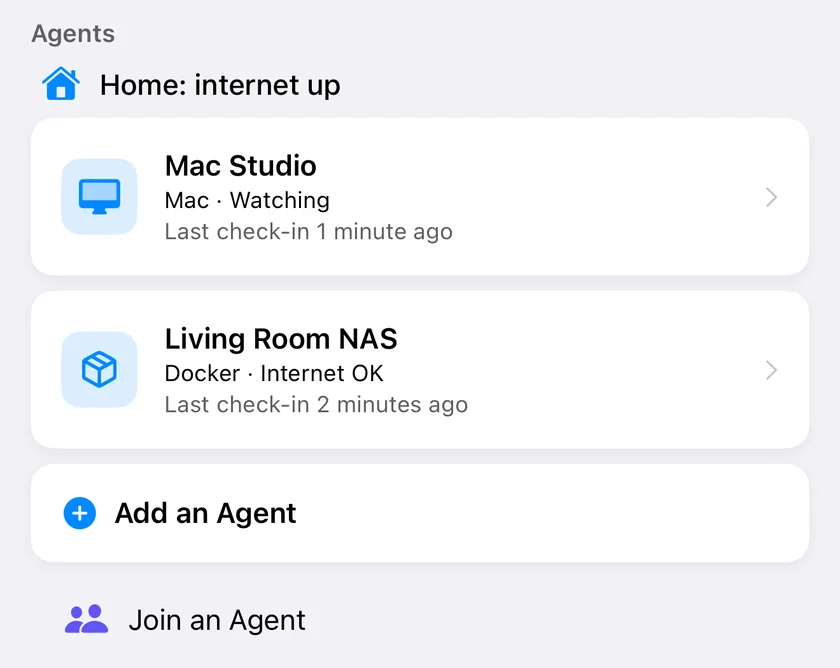
PingKit Agent does the same core job, watching the devices on your own network from a computer that stays on, and adds the internet line and an iPhone app. It runs on a 64-bit Raspberry Pi 4 or 5, in Docker on a Linux computer or NAS, or as a Home Assistant app. What it does:
- Finds your devices with a sweep every 15 minutes, a read of the neighbour (ARP) table every 30 seconds, and Bonjour (mDNS) and UPnP (SSDP) announcements.
- New Device alerts, after a first day spent learning the devices you already have, so the first evening is not fifty alerts.
- Device Offline alerts, if you turn them on (they are off by default): a device is reported offline after three missed sweeps, up to 45 minutes at the default sweep.
- Internet Down and Internet Restored. It checks the internet once a minute, records Internet Down after three failed checks in a row, dated to the first, and Internet Restored after two good ones. While the line is down it checks your router, the first hop past it and DNS, and says which looks broken.
- A year of history on disk. Its own pages show the last 30 days free, 90 with Guardian and 365 with Guardian Plus; the store keeps a year either way.
- A page with a PIN. The status page answers only private addresses, and device names and addresses sit behind a six-digit PIN that your iPhone shows and the log prints at every start.
- Home Assistant over MQTT: an internet sensor, device counts, a connectivity sensor per device and a presence tracker for each phone.
PingKit Agent is free to run on a 64-bit Raspberry Pi 4 or 5, with one install command. Install it on a Raspberry Pi
Side by Side
| WatchYourLAN | PingKit Agent | |
|---|---|---|
| Licence | MIT, open source | Closed source, free to run; compose files, install script and docs are public |
| New device notification | Yes, through Shoutrrr | Yes, after a learning day; to your own services free, to your iPhone with Guardian |
| Device offline | Online and offline history per host | Device Offline alert, off by default, after three missed sweeps |
| Internet down | Not in the README | Yes, with where the fault looks to be |
| History | 48 hours by default, configurable | A year stored; 30 days shown free |
| Grafana export | InfluxDB2 and Prometheus | None |
| Home Assistant | Not in the README | MQTT discovery, free |
| Phone app | None | PingKit for iPhone |
| Login on the web page | None built in | Six-digit PIN for device pages |
| 32-bit Raspberry Pi | Yes (arm_v5, arm_v6, arm_v7) | No: 64-bit Raspberry Pi OS on a Pi 4 or 5 |
| Last release | 2.1.4, 2025-09-10 | 1.0.0, with PingKit 4.0 on 2026-11-14 |
Who Should Stay on WatchYourLAN
- Your Pi runs a 32-bit system. PingKit Agent's install script is written for a Pi 4 or 5 on 64-bit Raspberry Pi OS and refuses a 32-bit system, including a 64-bit kernel with a 32-bit system; its Docker images are amd64 and arm64 only. An older Pi on a 32-bit OS stays a WatchYourLAN machine.
- You live in Grafana. PingKit Agent has no InfluxDB or Prometheus export. If your device history belongs on a dashboard next to everything else you graph, WatchYourLAN already does that.
- You want open source. PingKit Agent is not. NetAlertX and Pi.Alert are, if you want something more active; see PingKit Agent vs NetAlertX.
- You want a full device list in the browser every two minutes, and no phone in the loop.
Moving Over
Install the agent with the one command in the Raspberry Pi guide, or with the compose file on the Docker and NAS page. Like WatchYourLAN, it needs the host's network. Then:
- Bring your notification URL. The agent reads targets in the URL syntax Shoutrrr and Apprise already use, so a WatchYourLAN
SHOUTRRR_URLfor ntfy, Telegram, Discord or Pushover usually works as it is. Gotify, Matrix, Slack and email go through apprise-api. The forms are on the notifications page, and alerts to your own services are free. - Let it learn for a day. The agent builds its own device list; New Device alerts start after its first day.
- Or run both for a while. WatchYourLAN's page is on port 8840 and the agent's on 7474 and 7475, so one Pi can keep the Grafana export while the agent sends the alerts.
What Is Free, and What Guardian Adds
Running the agent is free, with or without an iPhone: its pages, its alerts to your own ntfy, Telegram, Discord, Pushover, webhook or apprise-api, and its Home Assistant entities. PingKit Guardian, on your iPhone, adds push for every alert, the dashboard of devices and outages, the Internet Outage Report for your provider, and a message from PingKit's server when the agent itself goes quiet, which a self-hosted monitor cannot send about its own outage. Guardian is $2.99 a month or $24.99 a year on iPhone, with a 1-week free trial.
Frequently Asked Questions
Is WatchYourLAN still maintained?
Its latest release is 2.1.4, published 2025-09-10, and that is also the repository's last push (GitHub API, checked 2026-11-16). It may simply be finished; it still runs, and its Docker image has more than five million pulls.
Does PingKit Agent run on a 32-bit Raspberry Pi?
No. Its install script needs 64-bit Raspberry Pi OS on a Pi 4 or 5 and refuses a 32-bit system, and its Docker images are amd64 and arm64 only. WatchYourLAN publishes arm_v5, arm_v6 and arm_v7 builds, so it is the better pick for an older 32-bit Pi.
Can PingKit Agent send data to Grafana?
No. It has no InfluxDB or Prometheus export. It publishes to Home Assistant over MQTT and sends its alerts to webhooks and notification services. If you want a Grafana dashboard of your devices, WatchYourLAN does that.
Can I reuse my WatchYourLAN Shoutrrr URL?
Usually, for ntfy, Telegram, Discord and Pushover: the agent reads targets in the URL syntax Shoutrrr and Apprise use. Gotify, Matrix, Slack and email go through apprise-api.
Is PingKit Agent free?
Running it is free, with its pages, its alerts to your own services and its Home Assistant entities. Push to your iPhone, the dashboard and the Internet Outage Report need PingKit Guardian: $2.99 a month or $24.99 a year on iPhone, with a 1-week free trial.
Try the agent on your Pi.
One command on a 64-bit Raspberry Pi 4 or 5, free to run, no account. Pair PingKit on your iPhone when you want the alerts there.
Install PingKit Agent on a Raspberry PiRelated Articles
- Raspberry Pi Network Monitor With iPhone Alerts
- Best Raspberry Pi Network Monitoring Tools (2026)
- PingKit Agent vs NetAlertX
- Network Monitor for Raspberry Pi, NAS and Docker
- Network Alerts to ntfy, Telegram, Discord and Pushover
- Home Assistant Presence Detection From Your Own Network
- Get an Alert When a New Device Joins Your WiFi (2026)