Network Alerts to ntfy, Telegram, Discord and Pushover
PingKit Agent can send its alerts to services of your own: ntfy, Telegram, Discord, Pushover, a signed webhook, or apprise-api for everything else. Free on every agent, with no account and no iPhone needed.
Free on every agent. Push to PingKit on your iPhone is the part that needs Guardian.
What it sends, and what it costs
PingKit Agent runs on a device of your own that stays on: a Linux computer or NAS with Docker, a 64-bit Raspberry Pi 4 or 5, or Home Assistant. It sends what its rules raise:
Internet Down and Internet Restored;
New Device, or one summary when several join at once;
Device Offline and Device Online, if you turn on Device Offline alerts (PINGKIT_OFFLINE_ALERTS).
Alerts to your own services are free on every agent. They need no PingKit subscription and no account, and they work with no iPhone at all: leave the claim code empty and the agent still watches, shows its own pages and sends to your targets.
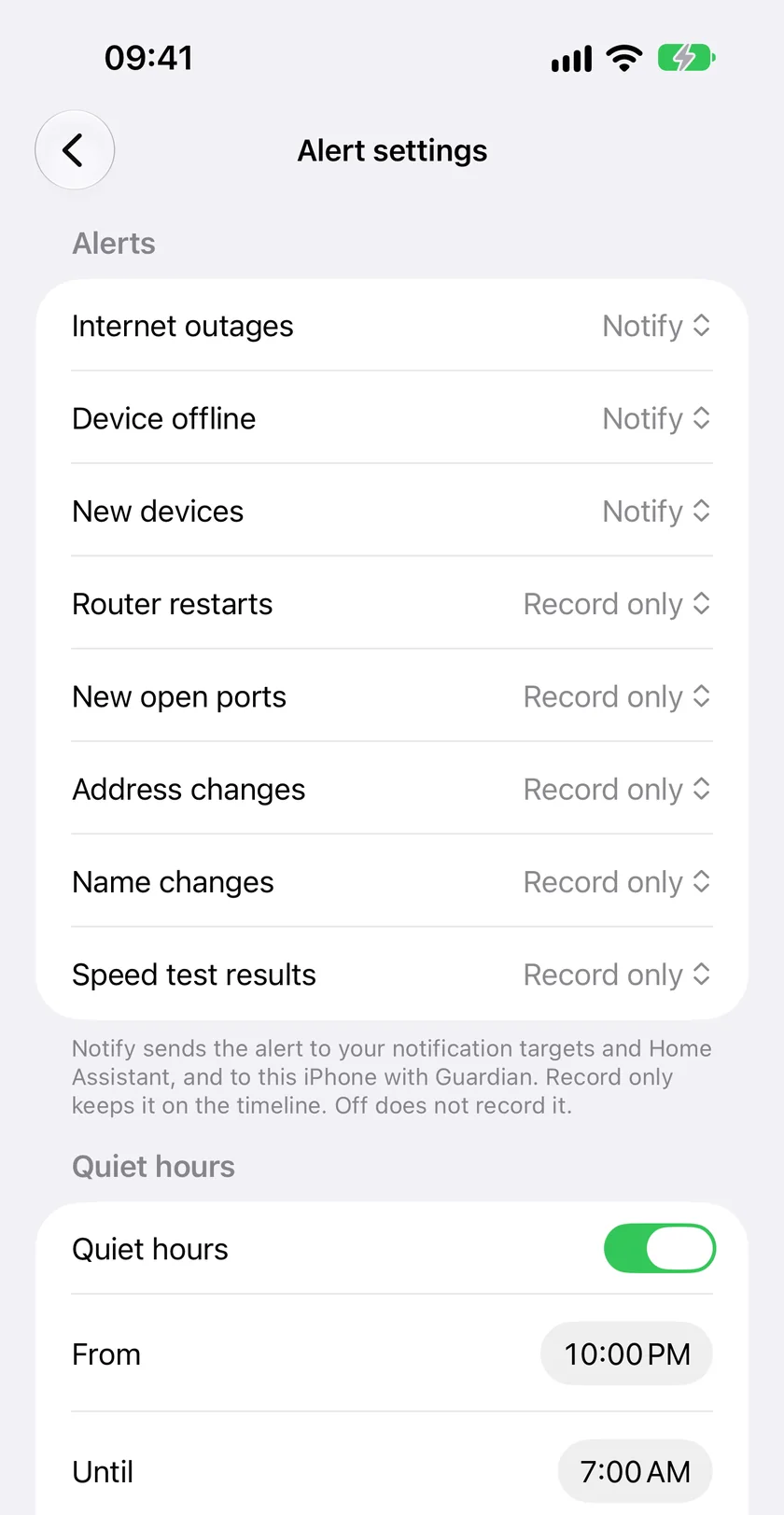
Alert settings for one agent in PingKit on iPhone: what notifies, what is only recorded, and quiet hours.
The target URLs
A target is a URL, in the syntax Apprise and Shoutrrr already use.
Service
URL
Notes
ntfy
ntfy://host/topic, ntfys://host/topic
ntfys is HTTPS. A token is ntfys://tk_xxx@host/topic, a login user:pass@. ntfy://topic means the public ntfy.sh.
Telegram
tgram://bot-token/chat-id
Also telegram://bot-token@telegram?chats=chat-id. One chat a URL.
Discord
discord://webhook-id/webhook-token
Also discord://token@id and Discord's own https://discord.com/api/webhooks/...
Also generic+https:// and a plain https://. For Home Assistant's webhook trigger, n8n or Node-RED.
apprise-api
apprise://host:8000/key, apprises://host/key
The way to every other service. ?tags= names a tag.
Set it up
Docker
Add PINGKIT_NOTIFY_URLS to the agent's environment in compose.yaml, with URLs separated by commas or lines:
    environment:
      PINGKIT_CLAIM_CODE: ""   # the code from your iPhone, used once; empty for no iPhone
      PINGKIT_NOTIFY_URLS: "ntfy://192.168.1.5/home-net"
A URL that holds a token is better in a file. It works in PINGKIT_NOTIFY_URLS, but an environment variable shows in docker inspect, so the agent logs one warning at start and names the file route: PINGKIT_NOTIFY_URLS_FILE names a file holding the URLs. A URL with no token, such as ntfy://ntfy.lan/home-net, draws no warning. Wherever it sits, the agent never shows a token: not in a log line, on the status page, in the diagnostics or in config check.
One URL is refused wherever it comes from: a credential over plain HTTP to a host off your network, since the token would cross the internet in the clear.
Home Assistant
In the PingKit Agent app's Configuration tab, the Notification targets option takes one URL per row, masked on screen. For example webhook+http://homeassistant.local:8123/api/webhook/your-id sends to Home Assistant's own webhook trigger.
Per-target events and quiet hours
An optional config.yaml in the agent's data folder gives each target settings of its own:
events narrows what a target hears; left out, it hears everything. quiet_hours is a window in the agent's time zone. pingkit-agent config check lists each target by a label such as ntfy-3fa9c2, never by its URL.
During an outage
A target on your own network can be reached with the internet down. One beyond it cannot.
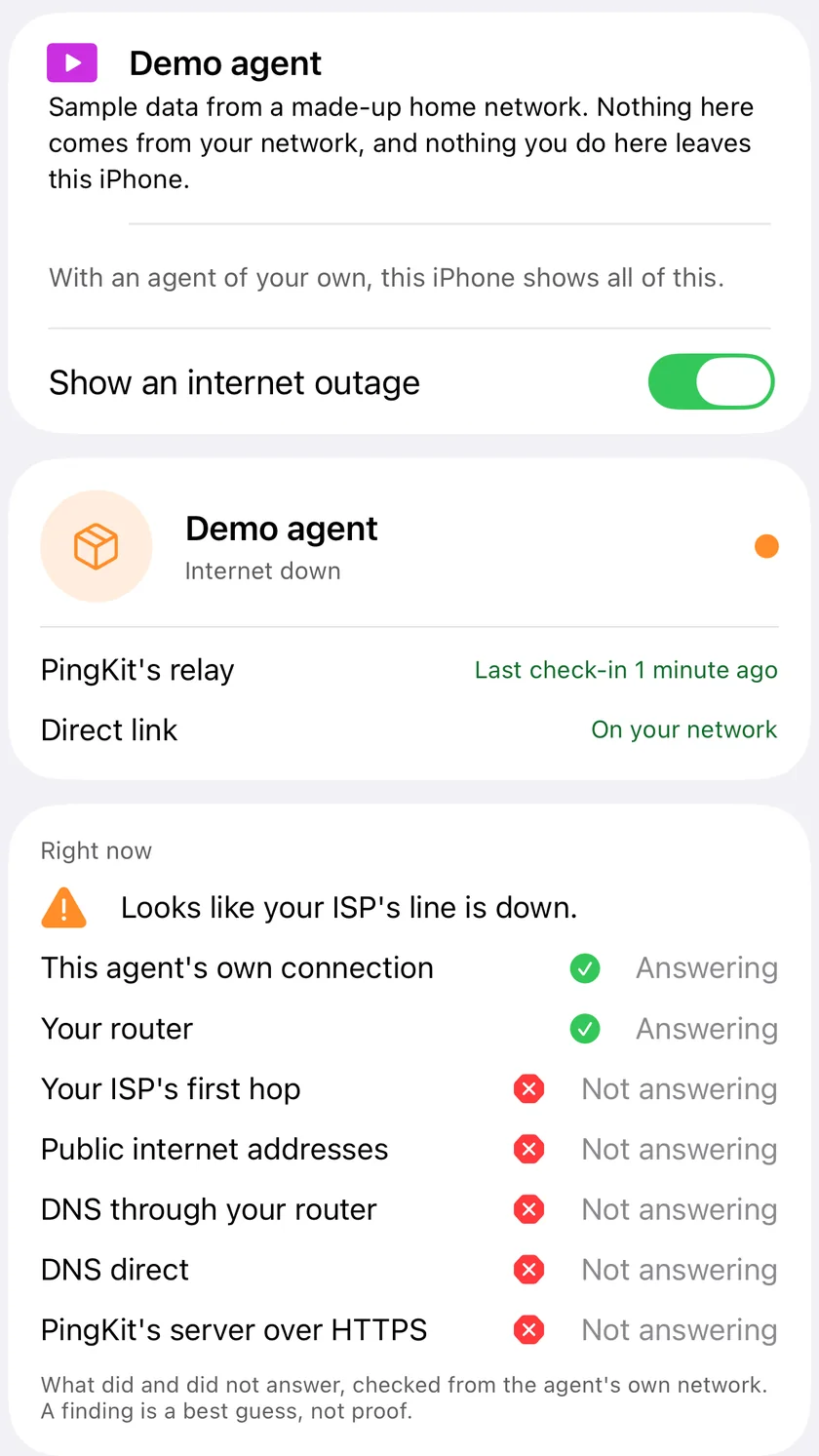
During an outage PingKit on iPhone shows what answered and what did not, checked from the agent's network. Demo agent.
Targets on your network hear of Internet Down at once, and of Internet Restored when it comes.
Targets on the internet hear nothing during the outage and then one message, on restore, with the duration: "Internet was down 14:02 to 14:19 (17 min)."
When it was the agent's own connection that dropped (its cable, its Wi-Fi, or a router it is cabled into losing power), nothing can leave it while that lasts. Both alerts are sent together once it is back, and they say so.
The agent decides which is which from the host in the URL, with no DNS lookup, since DNS may be what is down. A private, link-local or loopback address, a name with no dot, and a name ending .local, .lan, .home, .internal, .intranet, .localdomain or .home.arpa count as your network. Everything else counts as the internet, so an ntfy.example.com that lives in your house needs lan: on.
Delivery
Every message goes through an outbox in the agent's own database, so a restart loses nothing. A target that fails is tried again after 5 seconds, 5 minutes, 30 minutes and then at longer gaps up to 24 hours, after which the message is dropped with a log line. Messages to one target go in order. A message may wait seven days, and delivery is at least once.
The webhook
The webhook sends JSON with an event type such as internet.down, internet.restored, device.new, device.offline or device.online, a title and a message in the agent's language, and the outage's start, end and duration where they apply.
Give it a secret and every request is signed: the headers follow Standard Webhooks, so any of its verification libraries works. The secret is whsec_ and base64 of 24 to 64 random bytes:
echo "whsec_$(openssl rand -base64 32)"
With no secret the webhook still goes, with no signature header, because Home Assistant's webhook trigger takes none. The agent warns about it at start.
What a target can and cannot do
The agent sends a POST to the URL you gave, and to no other. It follows no redirect.
It reads only whether the request worked. No response body is read, stored or logged, so a URL pointed at a device on your network tells nobody anything about that device.
Device names are made safe first: Discord messages allow no mentions and Telegram messages have no markup, so a device calling itself @everyone pings nobody.
Messages to a hosted service carry the device's name. Only the webhook body carries its address and MAC, and it goes where you pointed it.
With PingKit on your iPhone
The targets above are free and stay free. PingKit Guardian adds the push relay to PingKit on your iPhone for every alert kind, with the Live Activity, the widget and the dashboard: $2.99 a month or $24.99 a year on iPhone, with a 1-week free trial. The paid part funds the one person who builds PingKit.
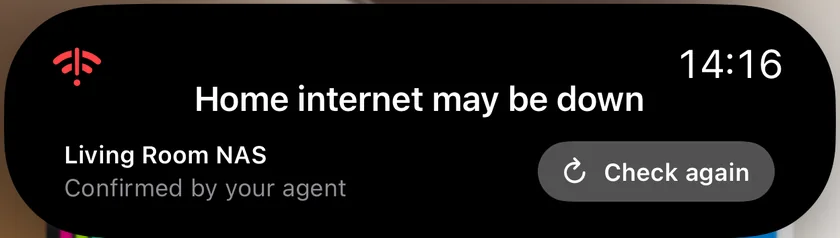
With Guardian, an outage at home reaches the iPhone's Dynamic Island while it lasts.
Do I need a PingKit subscription to send alerts to ntfy or Telegram?
No. Alerts to your own services are free on every agent. They need no PingKit subscription, no account and no iPhone. PingKit Guardian is only for the push to PingKit on your iPhone and the dashboard there.
Which alerts does the agent send to my services?
Internet Down, Internet Restored and New Device (or one summary when several join at once), and, if you turn on Device Offline alerts, Device Offline and Device Online. A target's events filter can narrow that list.
What happens to my alerts while the internet is down?
A target on your own network hears of Internet Down at once. A target on the internet cannot be reached during the outage, so it gets one message when the line is back, with how long the outage lasted.
Can I use it with a service that is not on the list?
Yes, through apprise-api, which is the agent's way to every other service. Point an apprise:// URL at your apprise-api server and it forwards the alert.
Is the webhook signed?
Yes, when you give it a secret: the headers follow Standard Webhooks, so any of its verification libraries works. With no secret the webhook still goes, unsigned, because Home Assistant's webhook trigger takes no signature, and the agent warns about it when it starts.
Want the alert on your iPhone too?
Download PingKit, open Agents and tap Add an Agent for your code. Running the agent and its alerts to your own services are free.