One command on a Raspberry Pi 4 or 5. PingKit Agent watches your network while the Pi stays on and, with Guardian, tells your iPhone when the internet goes down, a new device joins, or a device goes offline.
Free to run, no account. Alerts on your iPhone need Guardian: $2.99 a month or $24.99 a year on iPhone, with a 1-week free trial.
What you need
A Raspberry Pi 4 or 5 running 64-bit Raspberry Pi OS. The install script refuses a 32-bit system.
Its power supply and storage, and somewhere it can stay on. The agent watches only while the Pi is on.
Ethernet, if you can. A cable to your router gives the cleanest record: a Pi on Wi-Fi reports its own Wi-Fi drops as outages, and its speed tests are limited by its radio.
An iPhone with PingKit 4.0 or later. No Mac, and no account.
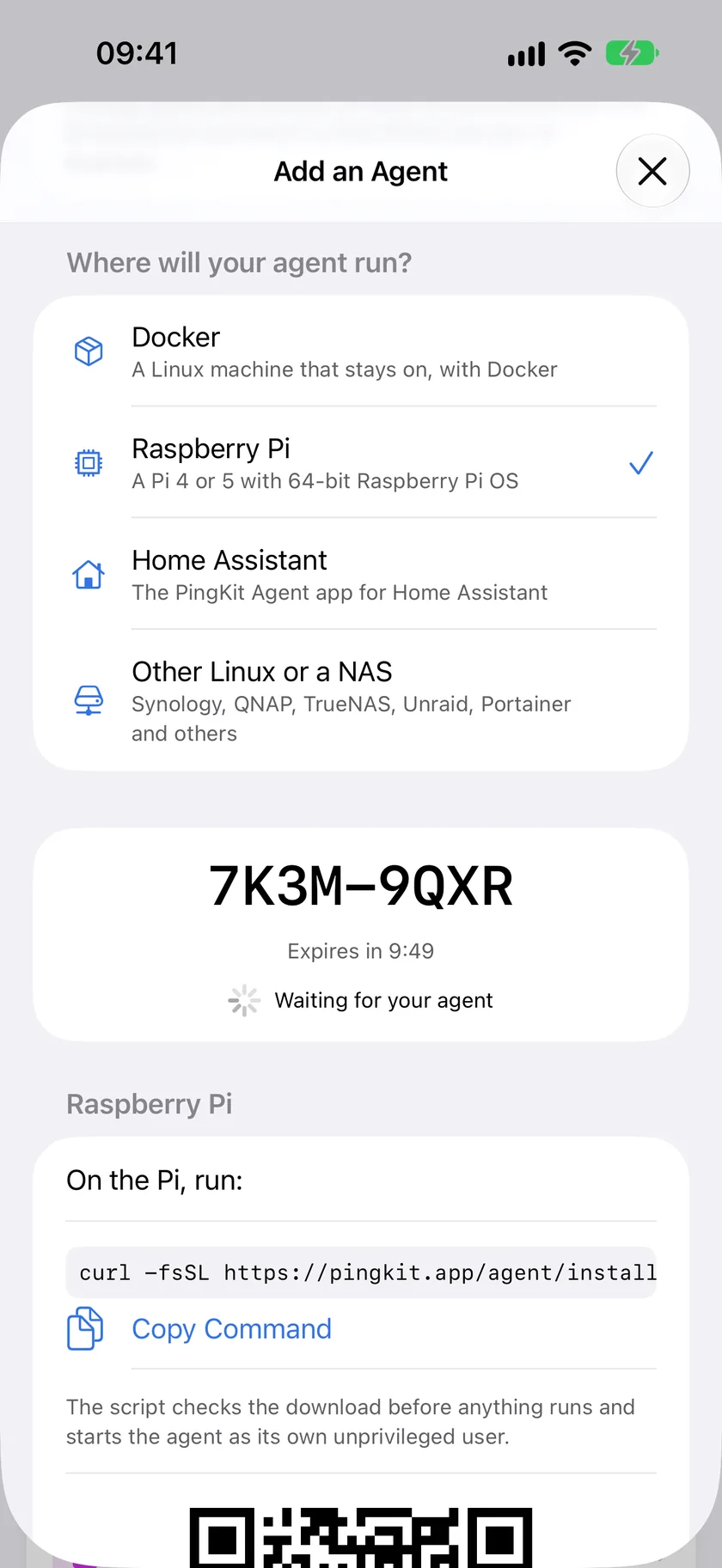
Open PingKit on your iPhone, go to Agents, tap Add an Agent and pick Raspberry Pi. Keep the 8-character code it shows: it works once, for 10 minutes. PingKit also shows the command below with your code already in it, ready to copy.
Add an Agent in PingKit on iPhone with Raspberry Pi picked, and the code to type on the Pi.
2. Run one command on the Pi
Over SSH or in a terminal on the Pi:
curl -fsSL https://pingkit.app/agent/install.sh | sudo sh -s -- --claim-code YOURCODE
Or read the script first
Piping a script into sudo asks you to trust it. You do not have to: download it, read it, then run it.
curl -fsSL https://pingkit.app/agent/install.sh -o install.sh
less install.sh
sudo sh install.sh --claim-code YOURCODE
The comment at its top lists everything it does, in order, and nothing else:
refuses anything but 64-bit Linux on arm64 with systemd, and refuses to run unless it is root;
downloads the release and checks its SHA-256 against the value pinned inside the script before unpacking or running anything; a mismatch stops with nothing installed;
creates a system user and group, pingkit-agent, with no shell and no home;
installs the program under /usr/local/lib/pingkit-agent/ and its systemd service;
creates /var/lib/pingkit-agent, the only folder the agent can write to;
lets that group, and only that group, use ping (/etc/sysctl.d/60-pingkit-agent.conf), unless ping is already allowed for it;
writes your code to /etc/pingkit-agent/env;
starts the service and prints the status page address.
The agent itself then runs as that unprivileged user and never opens a raw socket.
If it says 32-bit
On a 32-bit system the script stops with "PingKit Agent needs 64-bit Raspberry Pi OS" and changes nothing. A Pi that boots a 64-bit kernel with a 32-bit system gets the same answer. Flash Raspberry Pi OS (64-bit) with Raspberry Pi Imager and run the command again.
The first hour
Within a minute, your iPhone lists the agent under Agents and shows a check code. The agent's log prints the same check code, so you can be sure the agent you paired is yours: journalctl -u pingkit-agent | grep check_code.
The status page is at http://<the Pi's address>:7474/, from any browser on your network. It shows the pairing, the network the agent watches, the last sweep and the outage log. Device names and addresses are on its Devices and Timeline pages, behind a six-digit PIN: your iPhone shows it, and the log prints it at every start (journalctl -u pingkit-agent | grep page_pin).
The first sweep lists what is on your network. Nothing is announced as new yet: the agent is learning which devices are already yours.
The first day
New Device. The agent spends its first day learning the devices you already have, then reports one it has not seen before. A phone on a private Wi-Fi address that changes can look new; when a device appears just as one with the same name or announcements goes quiet, PingKit on your iPhone asks whether it is the same device with a new address, with the evidence.
Internet Down. The agent checks the internet once a minute and records Internet Down after three failed checks in a row, dated to the first of them, and Internet Restored after two good checks. If the whole line drops, the agent cannot send anything, so PingKit's server notices its connection has gone quiet and, with Guardian, tells your iPhone "Internet looks down at home" within about three minutes. The agent's dated record follows when the line is back.
Device Offline. Off until you turn it on. Then a device is reported after three missed sweeps, up to 45 minutes at the default.
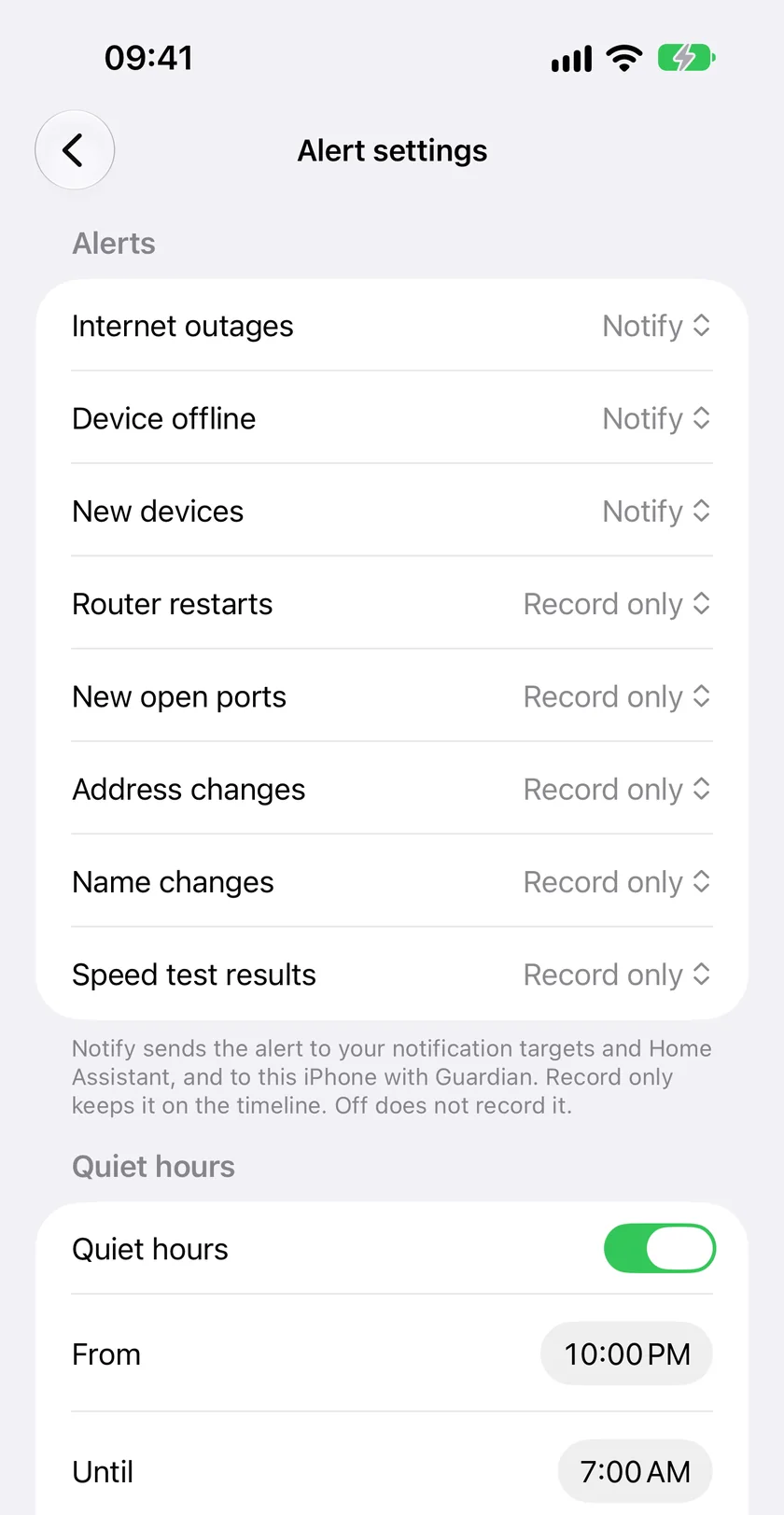
Quiet hours and levels. In PingKit on your iPhone, each kind of alert can notify you, only be recorded, or be turned off, and you can set quiet hours. The agent keeps those settings.
Past the first day
Settings live in /etc/pingkit-agent/env, one PINGKIT_ line each, and take effect after sudo systemctl restart pingkit-agent.
Alert settings for one agent in PingKit on iPhone: what notifies, what is only recorded, and quiet hours.
Alerts to your own services, free. Add a PINGKIT_NOTIFY_URLS line, such as PINGKIT_NOTIFY_URLS=ntfy://192.168.1.5/home-net, and the agent sends its alerts to ntfy, Telegram, Discord, Pushover, a signed webhook or apprise-api, with or without an iPhone. Every target's URL form.
Home Assistant on another machine, free. Point the agent at your MQTT broker with PINGKIT_MQTT_URL=mqtt://<the broker's address>:1883, plus PINGKIT_MQTT_USERNAME and PINGKIT_MQTT_PASSWORD. Home Assistant then shows an internet connectivity sensor, device counts, the last outage, and a device tracker or connectivity sensor for each device.
A daily speed test. Once paired, the agent runs one speed test a day at a random minute. On a line with a data cap, set PINGKIT_SPEED_TEST=manual, so a test runs only when you ask for one, or off. A Pi on Wi-Fi measures its own radio, and its tests are labelled as limited by this monitor.
History. The agent keeps a year on the Pi. Its own pages show 30 days, free; your iPhone shows the last 24 hours free and 90 days with Guardian.
The Internet Outage Report. With Guardian, PingKit on your iPhone turns the Pi's dated outages into a report to send your provider.
Already running Pi-hole?
Run the agent on the same Pi. Pi-hole answers DNS on port 53 and serves its admin page on port 80; the agent's status page is on port 7474, and it runs as its own unprivileged user. The one overlap is optional: the agent can read device names from DHCP, and if Pi-hole is your DHCP server and already holds that port, the agent leaves the feature off and carries on. The Pi-hole comparison says more about what each one does.
Updating and removing
To update, run the install command again with --update: it installs the version the script pins and keeps your settings and pairing.
curl -fsSL https://pingkit.app/agent/install.sh | sudo sh -s -- --update
To remove it, use --uninstall. The agent's data in /var/lib/pingkit-agent and its user are kept, so a reinstall stays paired; add --purge to delete both.
curl -fsSL https://pingkit.app/agent/install.sh | sudo sh -s -- --uninstall --purge
Troubleshooting
Is it running?
systemctl status pingkit-agent shows whether the service is up, and journalctl -u pingkit-agent -f follows its log. pingkit-agent config check says what is wrong with a setting, by line.
The code expired
A code works for 10 minutes. Tap Add an Agent again for a new one and type it on the status page, on port 7474 of the Pi, instead of reinstalling.
The status page does not open
Use the address the script printed, from a device on the same network, with :7474 on the end. The page answers only private addresses, so it does not open through a router port-forward.
"Ping stays off"
If your system already limits ping to a range that leaves out the agent's group, the script says so and leaves it alone. The agent then checks devices with ARP and TCP connection attempts instead, which works; to add ping, widen net.ipv4.ping_group_range to include the group it names.
"Needs systemd"
Raspberry Pi OS has systemd. If you see this, the Pi is running another system; use Raspberry Pi OS (64-bit), or the Docker image on a Linux host.
What is free, and what Guardian adds
Running the agent is free, and so are its own pages with 30 days of history, its alerts to your own ntfy, Telegram, Discord, Pushover or webhook, its Home Assistant entities over MQTT, pairing an iPhone, the agent's status and the last 24 hours of its timeline on your iPhone.
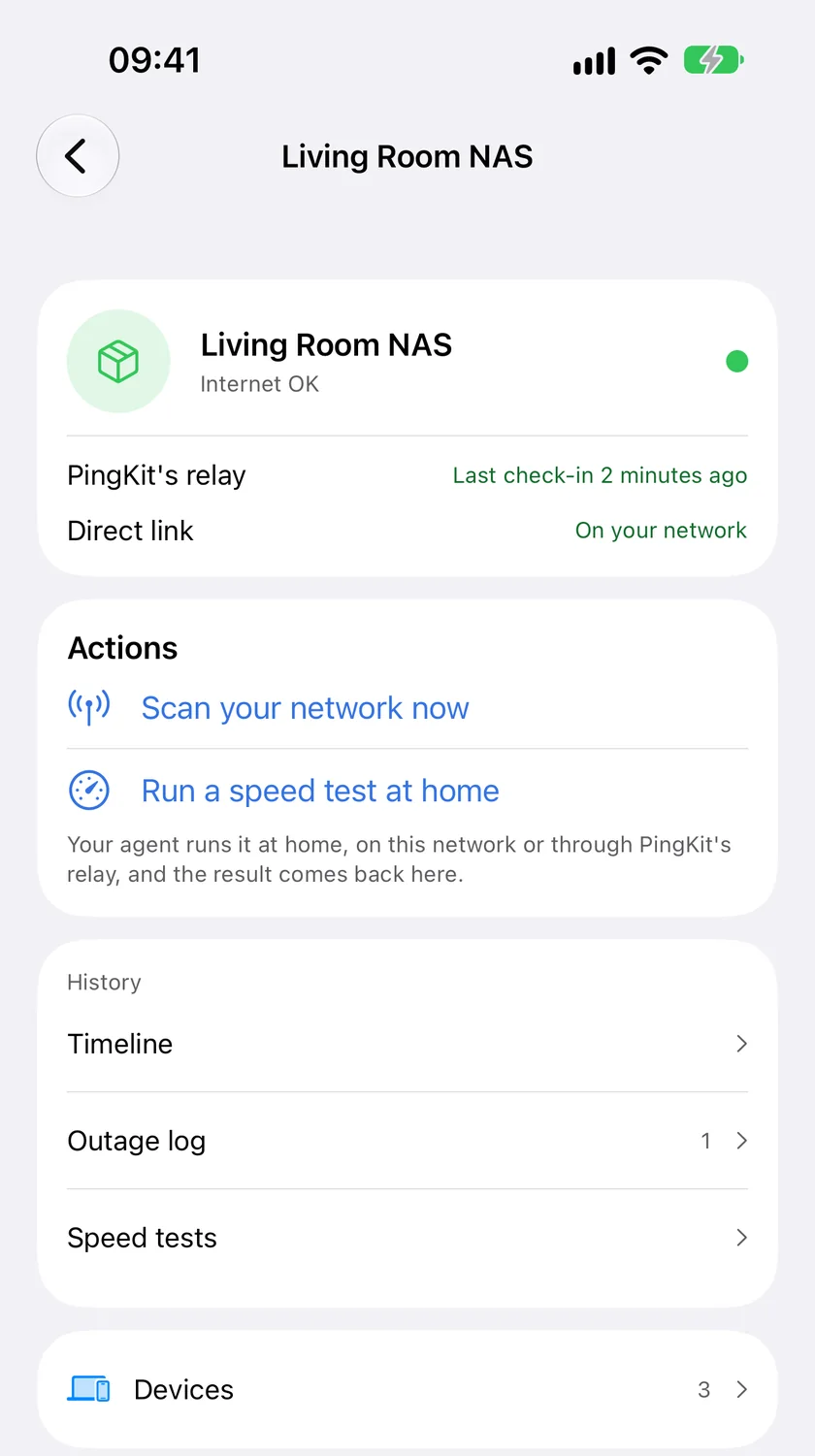
One agent in PingKit on iPhone with Guardian: status, actions, history and devices. Sample data.
The paid part is the relay and the dashboard, and it funds the one person who builds PingKit. Alerts from your agent on your iPhone, its device list and outage log there, 90 days of its timeline and the Internet Outage Report need PingKit Guardian: $2.99 a month or $24.99 a year on iPhone, with a 1-week free trial. 365 days of history, and more than one agent, up to five, need Guardian Plus.
Limits
A Raspberry Pi 4 or 5 on 64-bit Raspberry Pi OS. No 32-bit, and the script is not built for other boards.
It watches while the Pi stays on. A Pi that loses power records the gap as unmonitored, never as up.
No Wi-Fi readings, Security Scan or Uptime Watch targets. It watches devices and the internet.
A device is reported offline after three missed sweeps, up to 45 minutes at the default.
It does not block devices. That is your router's job.
We have not yet measured it on a Raspberry Pi. In a 24-hour test on a Linux virtual machine it peaked at about 55 MB of memory and used under 1% of one core.
Questions and answers
Which Raspberry Pi do I need?
A Raspberry Pi 4 or 5 running 64-bit Raspberry Pi OS. The install script refuses a 32-bit system, including a 64-bit kernel with a 32-bit system, and says how to fix it.
Should the Pi be on Ethernet or Wi-Fi?
Ethernet if you can. A Pi on Wi-Fi reports its own Wi-Fi drops as outages, and its speed tests are limited by its radio. Wi-Fi works; a cable gives you a cleaner record.
Can it run on the same Pi as Pi-hole?
Yes. Pi-hole uses ports 53 and 80; the agent's status page is on port 7474 and it runs as its own unprivileged user. If Pi-hole is also your DHCP server, the agent's optional DHCP name reading stays off and everything else carries on.
Does it need an account?
No. You pair it with the 8-character code PingKit shows on your iPhone under Agents, which works once, for 10 minutes. Running the agent is free; its alerts in PingKit on your iPhone need PingKit Guardian.
What happens if the Pi loses power?
The agent's connection to PingKit's server goes quiet. With Guardian, your iPhone is told that the internet looks down at home within about three minutes, and after about 20 minutes that the agent has stopped reporting. When the Pi is back, the agent records the time it was not running as unmonitored, never as up.
Requires iOS 17.0 or later and PingKit 4.0 or later. Running the agent and its local alerts are free; alerts from your agent on your iPhone need Guardian.