Internet Slow at Night: How to Prove It and What Causes It
Short version. "Slower at night" is one of the few network complaints that a single test can never settle, because the test is fast at 11am and you are not. What settles it is the same measurement repeated at a few times of day and kept. PingKit's Speed Test keeps a local history chart on the iPhone for free, and Ping Test adds the loss figure that speed alone hides. The unattended version is the free PingKit Agent on a Mac, which runs a scheduled test every 24 hours by default, or every 1, 6 or 12 hours if you want the evening covered properly; Guardian syncs those results to your iPhone.
What "Slow at Night" Usually Is
Four causes account for nearly all of it, and they need different evidence.
- Peak-hour congestion at the ISP. Everyone in the area is streaming between about 7pm and 11pm and the shared capacity upstream of your line runs out. Your speed drops and your latency rises, and both recover by midnight. This is the one people mean.
- Congestion inside your own house. Someone starts a large upload, a console downloads a 90 GB update, or three televisions start at once. The line is fine; your share of it is not.
- WiFi, not the line at all. The 2.4 GHz band gets worse in the evening for the same reason the road does: your neighbours are home. Their networks, microwaves and devices are all radiating.
- Thermal or scheduled behaviour. A router that has been up for weeks, a nightly backup, a firmware update window, a mesh node that re-optimises.
You cannot tell these apart by feel, and an ISP will not act on a feeling. The rest of this page is a method.
Step 1: Measure the Same Thing at Two Times
Open PingKit and run the Speed Test twice: once at a quiet time, mid-morning is ideal, and once at your worst time. Do both on the same WiFi, in the same room, with nothing else large running. PingKit keeps a history chart of your results on the phone, so the comparison is there next time you look rather than something you have to write down.
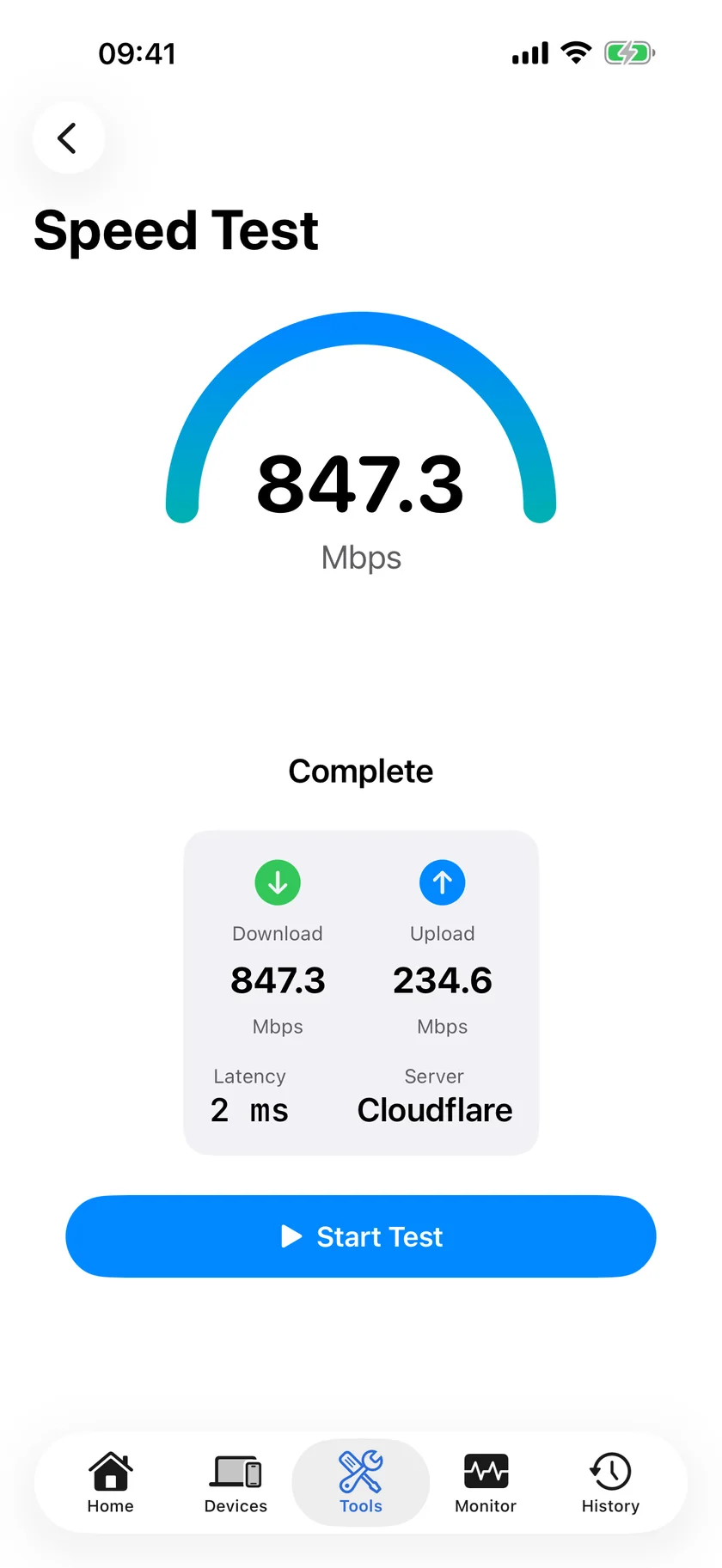
Then do the same with Ping Test, 100 packets against 1.1.1.1, at both times. This is the step people skip and it is the one that identifies congestion, because congestion raises latency and loss before it visibly dents throughput.
| Morning | Evening | Most likely cause |
|---|---|---|
| Full speed, latency low, no loss | Half speed, latency up 2 to 5 times, some loss | Peak-hour congestion upstream of you |
| Full speed, latency low | Half speed, latency unchanged, no loss | Something in your house is using the line. Look at your own devices first |
| Full speed | Slow and erratic, with timeouts, but only in some rooms | WiFi, not the connection. Test again next to the router |
| Already slow | Equally slow | Not a time-of-day problem at all. This is your line's normal state |
PingKit's speed test, ping and local history are free on the iPhone, no account needed. Get PingKit for iPhone
Step 2: Take the WiFi Out of the Question
The single most common mistake in this diagnosis is measuring WiFi and blaming the ISP. Repeat the evening test standing next to the router. If the numbers become good there, your line is fine and the problem is the radio path to wherever you were sitting. If they stay bad next to the router, the fault is the line or beyond it.
On a Mac you can go further and read your own band, channel, signal strength and noise floor: Which WiFi Channel and Band Your Mac Is Using. An iPhone cannot report signal strength or channel, because iOS does not expose that to apps, so do not trust any iOS app that claims to.
Step 3: Turn Two Measurements Into a Record
Two tests are an anecdote. What an ISP responds to, and what tells you whether the problem is getting worse, is a series taken at fixed times over a fortnight.
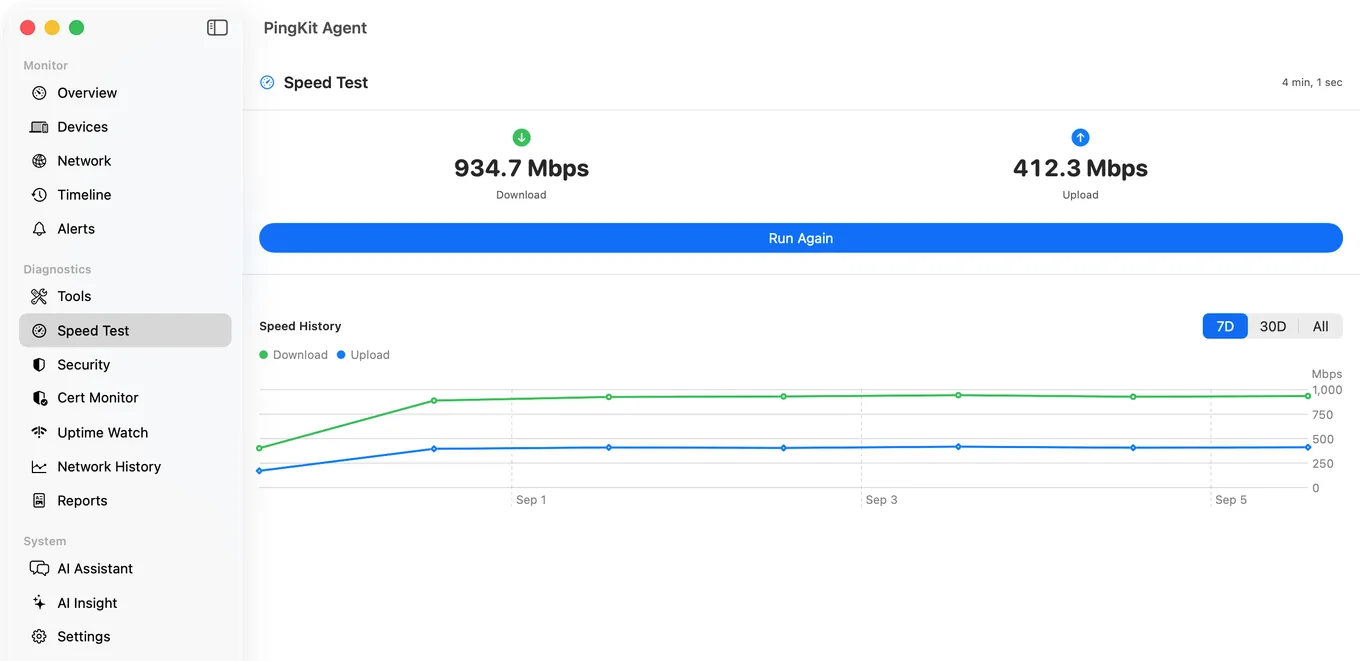
An iPhone cannot produce that on its own. iOS does not allow an app to run a speed test in the background, and PingKit does not claim to: the phone measures when you ask it to.
The free PingKit Agent on a Mac that stays awake can. It runs a scheduled speed test every 24 hours by default, and the interval can be set to 1, 6, 12 or 24 hours; every 6 hours is the setting that catches an evening dip without generating noise. It also pings the internet every thirty seconds continuously, which builds the latency record that congestion actually shows up in. All of that is free and happens on the Mac.
PingKit Guardian, $2.99 a month or $24.99 a year on iPhone or Mac, is what brings it to the iPhone: the Monitor tab's Scheduled Speed Tests row shows the results the Mac produced, and the History tab's trend charts put speed and latency over weeks rather than over one afternoon. The Mac Agent's own latency chart on the phone is a much shorter window, the last couple of hours of thirty-second checks, so for the long view read the trends rather than that chart. The schedule itself always runs on the Mac; iOS shows the synced history, which is the honest division of labour and the one the app implements.
Step 4: The Alert Worth Turning On
The Agent can also alert when a scheduled test comes back below a threshold. It is off by default and set to 50 Mbps, which is deliberate, because a threshold alert that nobody chose is just noise. Set it to something meaningfully below what you pay for, about half, and turn it on. Then a slow evening announces itself instead of being something you notice three weeks later.
If you are building a case for the ISP, the companion pages are How to Tell If Your ISP Is Throttling Your Internet and How to Keep a History of Your Internet Speed on iPhone. Our network baseline page covers what a normal week looks like on your own line.
Honest Limits
- iOS cannot run speed tests on a schedule or in the background. The iPhone measures on demand and stores what it measured; unattended scheduling needs the Mac Agent.
- A speed test measures the path to the test server at that moment. Two tests to different servers are not directly comparable, so keep the conditions the same.
- The speed-below-threshold alert is off by default and fires when a speed test finishes, scheduled or run by hand, not continuously. There is a ten-minute cooldown between alerts of the same kind.
- Lag under load (bufferbloat) is measured on iPhone only, by Session Watch with PingKit Guardian: a session ends with a 15-second download while latency is still being measured, and the rise is shown. It loads the download direction only, it is skipped on mobile data and in Low Data Mode, and the Mac Agent has no such test. Here is how to test for it.
- No iOS app can report WiFi signal strength or channel. The Mac Agent can, for the Mac's own connection.
- The Agent's five-minute scan and thirty-second connectivity check are its mains-power defaults. On battery it reduces them to fifteen minutes and sixty seconds, which is another reason the machine doing the watching should be plugged in.
Frequently Asked Questions
Why is my internet slower at night?
Most often peak-hour congestion: shared capacity upstream of your line runs out between about 7pm and 11pm, which raises latency and loss before it visibly reduces throughput. The other common causes are something in your own house using the line, and 2.4 GHz WiFi getting worse in the evening as neighbours come home.
How do I prove my internet is slower at night?
Run the same speed test and the same 100-packet ping at a quiet time and at your worst time, on the same WiFi, in the same place. Keep both. One pair is suggestive; a fortnight of results at fixed times is what an ISP will act on, and that needs something unattended, which on PingKit means the free Mac Agent's scheduled tests.
Can my iPhone run speed tests automatically?
No. iOS does not let an app run a speed test in the background, and PingKit does not claim it can. The iPhone tests when you ask and keeps a local history chart of the results. The Mac Agent runs tests on a schedule of 1, 6, 12 or 24 hours, and Guardian syncs those results to the phone.
Is it my WiFi or my internet connection?
Repeat the slow test standing next to the router. If it becomes fast there, the line is fine and the radio path was the problem. If it stays slow next to the router, the fault is the connection or beyond it.
What speed drop is worth complaining about?
A consistent evening result well under half of what you pay for, with raised latency and some packet loss at the same time, across many days. Isolated slow tests happen to everyone and prove nothing on their own.
Keep the evidence, not the impression.
PingKit Agent is free on the Mac. Guardian, $2.99 a month or $24.99 a year on iPhone or Mac with a 1-week free trial, brings its alert history and timeline to the iPhone app.
Download PingKit for iPhone