How Many Devices Can Connect to WiFi Before It Slows Down?
There isn't a magic number where your WiFi "runs out" of room for another device - most home routers can technically handle 200+ connections without breaking a sweat. But your internet does slow down as more devices join, and understanding why matters more than any specific count.
It's Not the Device Count, It's the Active Load
A phone sitting on a nightstand, screen off, barely uses any bandwidth. Three people simultaneously streaming HD video, on a video call, and downloading a large file is a real load, even though that's only three devices. What actually determines slowdown is how much of your shared bandwidth and WiFi airtime is being actively used at once - not how many devices happen to be connected in the background.
The Two Real Bottlenecks
- Your internet plan's total bandwidth - every device shares the same pipe from your ISP. If your plan is 100 Mbps and five devices are each actively streaming 4K, you're dividing that 100 Mbps five ways, and each stream degrades.
- Your router's radio and processing capacity - WiFi is a shared medium; devices take turns using "airtime" on the same channel. A router managing many simultaneous active connections, especially older or budget hardware, can become the bottleneck even before your internet plan's bandwidth is maxed out.
A newer router with better WiFi 6 or 6E handling manages many simultaneous connections more efficiently than an older one - but if your internet plan itself is the ceiling, a new router won't manufacture bandwidth your ISP isn't providing.
Check What's Actually Connected
LAN Scanner lists every device currently on your network in real time - the fastest way to check whether a slowdown coincides with an unusually crowded network, a forgotten smart device pulling bandwidth, or someone's laptop mid-backup, before assuming your internet plan needs an upgrade.
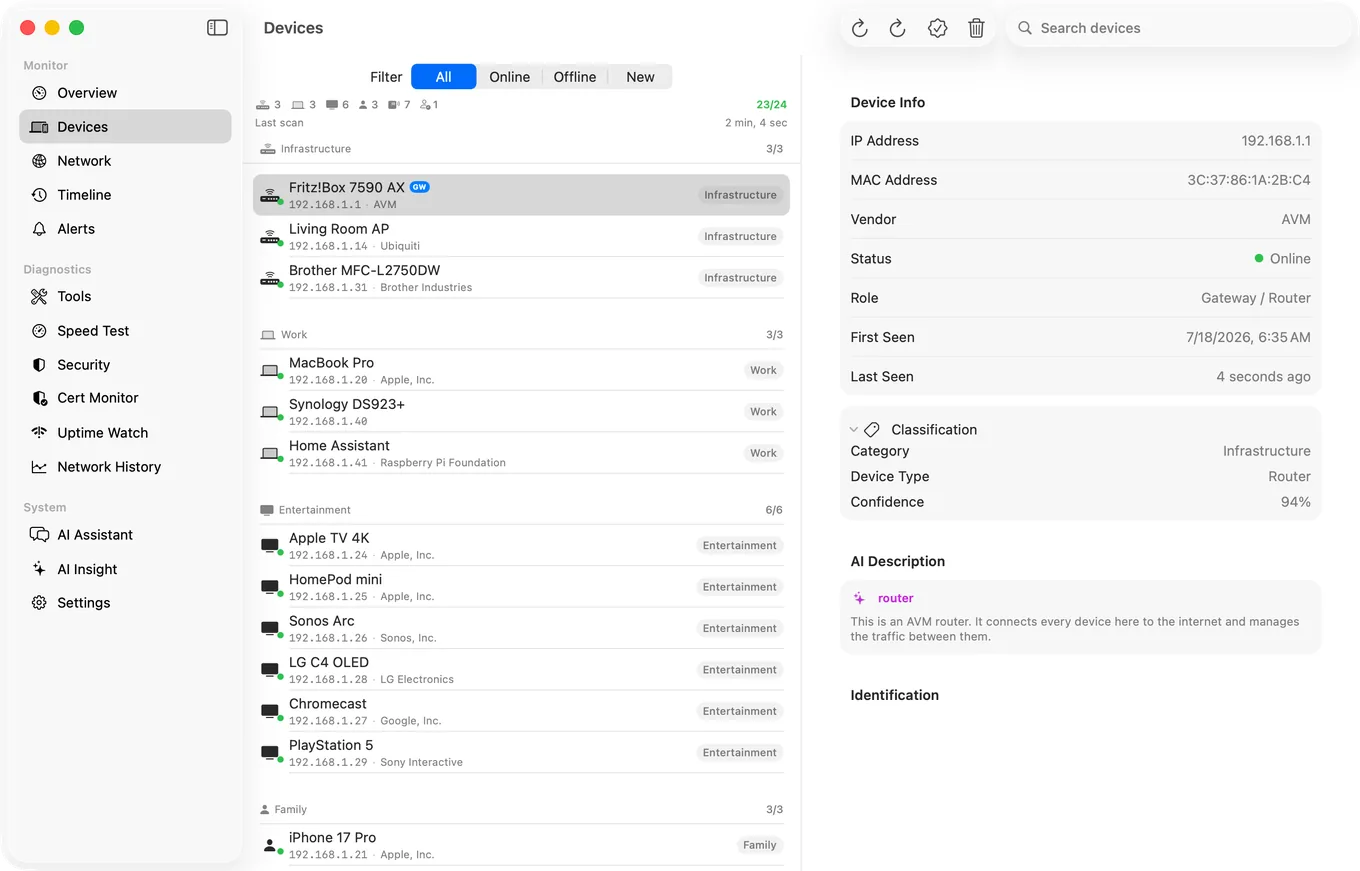
Quick diagnosis: run Speed Test when the network is quiet, then again during a busy moment. If speed drops sharply, you're bandwidth- or airtime-constrained by active usage. If it's consistently low even when quiet, the plan itself, not device count, is the ceiling.
What Actually Helps
- Upgrade your plan if Speed Test shows you're consistently near your plan's limit even during normal use.
- Add mesh coverage if devices in different rooms are fighting over the same overloaded access point - see our mesh WiFi dead zones guide.
- Move heavy, non-time-sensitive usage (large downloads, backups) to off-peak hours if bandwidth is genuinely tight.
- Check for a forgotten device using LAN Scanner before assuming the problem is structural at all.
Related Articles
- Mesh WiFi Dead Zones: How to Find and Fix Them
- How to Fix Slow WiFi on iPhone
- How to Detect Unknown Devices on Your WiFi
- LAN Scanner for iPhone
- Sonos Keeps Dropping Off WiFi: How to Find Out Why
- Smart Plug Keeps Disconnecting From WiFi: How to Diagnose It
- Internet Slow at Night: How to Prove It and What Causes It
See What's Actually on Your Network
LAN Scanner and Speed Test, free, no account. 17 more tools included.
Download PingKit