PingKit vs Scany
Scany is a compact iPhone scanner that long-time users know for its hidden-device detection and solid diagnostic set. PingKit covers the same ground free with no ads, then adds a security score, AI explanations and, with Guardian, your Mac's monitoring on your iPhone. Here's an honest head-to-head from the PingKit team.
All 19 tools are free on iPhone. No ads, no account.
Scany has been around a while and has a small but loyal audience. We make PingKit, so we have a horse in this race, but the comparison below is written to be genuinely useful. App details change, so check the current Scany listing before you decide.
Feature-by-Feature
| Capability | PingKit | Scany |
|---|---|---|
| LAN / WiFi scanning | Yes (many named from what they announce) | Yes |
| Hidden / unknown device detection | Unknown devices, yes, free; new-device alerts from the free Mac Agent while your Mac is awake | Yes |
| Port scanner | Yes, free | Yes |
| Ping / traceroute | Yes (incl. MTR), free | Yes |
| Whois / DNS / Geo IP | Yes, free | Yes |
| Wake on LAN | Yes, free | Yes |
| Speed test | Yes, free | No |
| Security scan + score | Yes, free | No |
| Mac app + background monitoring | Yes (free on Mac, while the Mac is awake) | No |
| AI explanations of findings | Yes (free) | No |
| Price | Free + optional Guardian from $2.99/mo (iPhone or Mac) | ~$3.99–$5.99 one-time |
Where Scany Wins
Scany is a focused, no-nonsense scanner with a one-time purchase and a reputation for finding devices that try to stay quiet. If all you want is an on-demand iPhone scanner with hidden-device techniques and you'd rather pay once, it does that job.
Where PingKit Wins
PingKit matches Scany's toolkit - LAN scanning, port scanner, ping, traceroute, Whois, DNS, Wake on LAN, Geo IP - and adds a security scan with a score, a speed test, and plain-English AI explanations. The bigger gap: Scany is on-demand and iOS-only. PingKit's free Mac Agent watches your network whenever the Mac is awake and, after a first day learning your devices, alerts you on the Mac when a new device joins; with Guardian, your iPhone shows those alerts too. The Agent and the tools are free, with no ads.
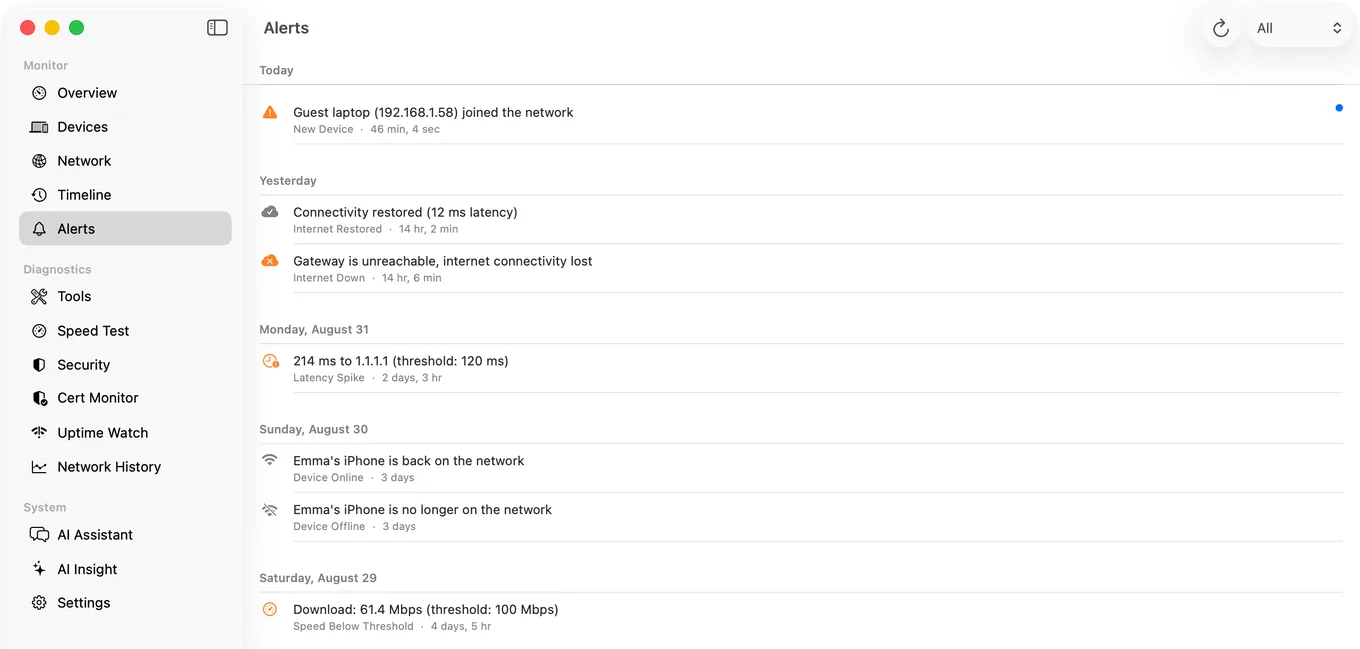
The intruder angle: Finding a stranger's device matters most when you're not looking. Scany finds it when you scan; PingKit's Mac Agent can tell you when it shows up, while your Mac is awake, without you scanning. See is someone stealing my WiFi?
Which Should You Choose?
- Want a one-time-purchase on-demand iPhone scanner: Scany.
- Want a wider free toolkit with no ads and a security score: PingKit.
- Want intruder alerts while your Mac is awake, on the Mac and, with Guardian, on your iPhone: PingKit + the free Mac app.
Comparing more apps? See our best network tools for iPhone roundup.
More Comparisons
- PingKit vs Fing
- PingKit vs iNet
- PingKit vs LanScan
- PingKit vs Network Analyzer
- Scany Alternatives for iPhone (2026): Free and Paid Options
- Best Network & LAN Scanner Apps for iPhone (2026)
- Every PingKit comparison
Try PingKit Free
19 network tools, on-device device ID, intruder detection, no ads, no account.
Download PingKit Free