Scany Alternatives for iPhone (2026): Free and Paid Options
Short version. Scany is a capable iOS network scanner with a one-time purchase model. If you want the same job done free, PingKit covers discovery, TCP port scanning, ping, traceroute and MTR at no cost with no ads. Fing is the best known alternative but shows ads on its free tier. All of them share the same iOS limits, which are worth understanding before you choose.
Scany has been on iOS for a long time and has a loyal following, particularly among people who prefer paying once to subscribing. If you are looking at alternatives, here is how the realistic options compare.
Full disclosure: I build PingKit, so weigh the recommendation accordingly. The comparison below is written to stay useful even if you pick something else, and the limits section is not padding. Competitor features and pricing change, so check the current listing before you decide.
Limits That Apply to Every iOS Scanner
These are platform constraints, not app weaknesses. Any app claiming to beat them deserves scrutiny:
- Full UDP scanning is not possible. A UDP port that stays silent may be open or filtered, and the silence looks the same either way. PingKit's Port Scanner on iPhone also sends UDP probes, but it lists a port that answers or stays silent as open, so read its UDP results as a hint.
- No OS fingerprinting. Same reason. Device identification comes mainly from advertised services; PingKit reads only a reply's TTL, as a rough hint at the operating system family.
- MAC addresses are unreliable. Recent iOS returns a placeholder address for network peers, so vendor lookup from the OUI prefix cannot be trusted the way it can on a desktop.
- No packet capture. Nothing on a non-jailbroken iPhone can sniff traffic.
- No WiFi channel or signal data. iOS does not expose it.
The Comparison
| Scany | PingKit | Fing | |
|---|---|---|---|
| Pricing model | One-time purchase | Free, optional subscription | Free with ads, paid tier |
| Ads | No | No | Yes, on free tier |
| Account required | No | No | For some features |
| LAN discovery | Yes | Yes | Yes |
| TCP port scan | Yes | Yes | Paid tier |
| Ping / traceroute | Yes | Yes | Yes |
| MTR | No | Yes | No |
| Bonjour browser | Yes | Yes | Limited |
| TLS certificate inspection | No | Yes | No |
| HTTP response analysis | No | Yes | No |
| Wake-on-LAN | Yes | Yes | Paid tier |
| Device identification database | Good | Good | Best in class |
Feature sets and pricing move around. Check each App Store listing before buying.
Choosing Between Them
You dislike subscriptions: Scany's one-time purchase is a genuine differentiator, and PingKit's free tier is not a trial or a teaser, so both work.
You want the widest device-name coverage: Fing's identification database is the strongest, built from a very large user base. The trade-off is ads and account prompts.
You are diagnosing, not just listing: PingKit's breadth is the argument. MTR for path analysis, TLS inspection, HTTP analysis, DNS and WHOIS are tools the others largely do not carry.
Honest Limits on PingKit
- Device identification is good, not perfect. Free identification uses vendor and protocol signature matching; Guardian adds an AI fallback only when signature matching is genuinely uncertain. Unusual devices sometimes come back unlabelled.
- Traceroute shows IPs and latency, not hostnames. There is no reverse DNS step in the path.
- The DNS tool uses your system resolver with no in-app provider picker.
- WHOIS for IP addresses returns geolocation-style data (country, region, ISP, ASN) rather than RDAP network ranges and abuse contacts.
Frequently Asked Questions
What is a good free alternative to Scany?
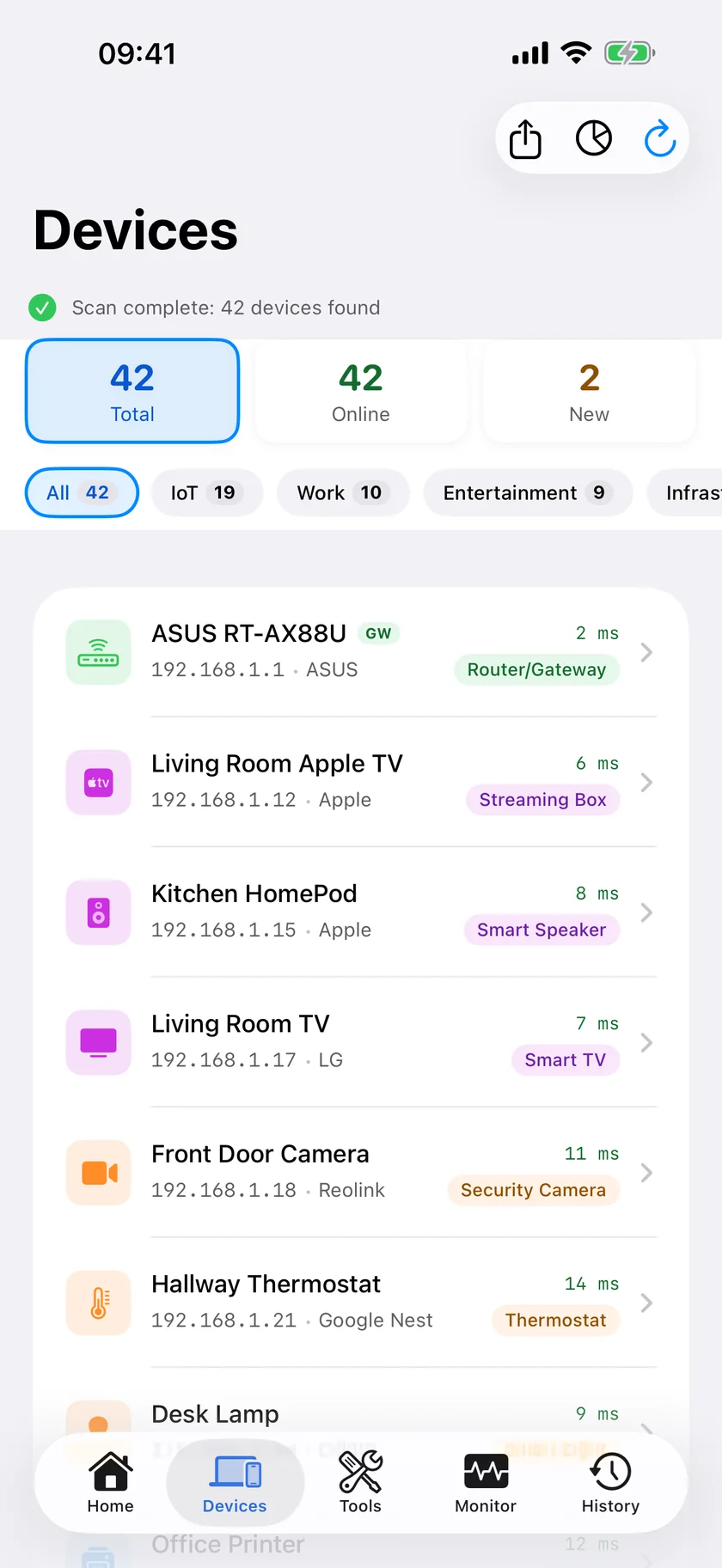
PingKit covers the same core jobs free: local network discovery, TCP port scanning, ping, traceroute, MTR, Bonjour browsing and Wake-on-LAN, with no ads and no account. Fing is the other main option but shows ads on its free tier.
Do iOS network scanners work without WiFi?
They need to be on a network to scan it. On cellular you can still use tools that reach the internet, such as ping, traceroute, DNS lookup, WHOIS and certificate inspection, but local device discovery requires being on the local network.
Why do different iOS scanners show different device names?
Because iOS hides most devices' hardware addresses from apps, they infer identity mostly from advertised services, hostnames and open ports. Different apps weigh those signals differently and maintain different databases, so results vary.
Can any iPhone scanner detect UDP services?
Not in the full sense. An app can send a UDP datagram and see whether a service answers, so limited UDP probing is possible, and PingKit's Port Scanner on iPhone has a UDP mode alongside its TCP connect scan. A UDP port that stays silent may be open or filtered, and PingKit lists it as open, so read a UDP result as a hint.
Is PingKit's free tier limited?
All 19 tools open free with no ads and no account, and the Mac Agent's network monitoring is free too while your Mac is awake. The optional Guardian subscription adds the Agent's dashboard on your iPhone, longer Session Watch sessions, your router's port forwarding list and more AI; the free tools are not a trial and do not expire.
The same job, free
LAN discovery, TCP port scanning, ping, traceroute, MTR, Bonjour browsing and 13 more tools. No ads, no account, no trial timer.
Download PingKit Free