How to Prove Internet Drops to Your ISP (2026): A Mac Guide
Short version. Intermittent faults are dismissed because they are never happening during the call. The fix is a continuous log with timestamps, collected over days, that separates your WiFi from the line. Ping your router and something on the internet simultaneously: if only the internet target fails, the fault is past your front door and the ISP cannot blame your WiFi.
The frustrating pattern: the connection drops for thirty seconds several times an evening, you call support, everything tests fine, and the ticket closes. Nothing about that is unreasonable from their side. They have no evidence and you have a description.
Full disclosure: I build PingKit Agent, so weigh the recommendation accordingly. The limits section is not padding, and there is a whole category of Mac network tool below that PingKit deliberately is not.
The Measurement That Settles It
Run two continuous pings at the same time: one to your router and one to something on the internet such as 1.1.1.1. Then read the pattern:
| Router ping | Internet ping | Conclusion |
|---|---|---|
| Fails | Fails | Your local network or WiFi |
| Fine | Fails | Past your router. The ISP's problem |
| Fine | Fine, but slow | Congestion, not a drop |
| Both intermittent | Same moments | Router or modem |
That second row is the one that changes the conversation. It removes the standard first response, which is that your WiFi is at fault, before it is offered.
Do it over Ethernet if you can. Even with the two-target test, a wired measurement removes the argument entirely. If the drop persists on a cable, nothing about your WiFi is relevant.
Collecting It on a Mac
The free way
Terminal, two windows, timestamped output:
ping 1.1.1.1 | while read line; do echo "$(date '+%F %T') $line"; done | tee ~/isp-internet.log
Repeat with your router's address into a second file. Leave both running for several days. This works, costs nothing, and produces exactly the evidence you need. The downsides are that raw ping logs are tedious to summarise, and a closed laptop lid ends the experiment.
The app way
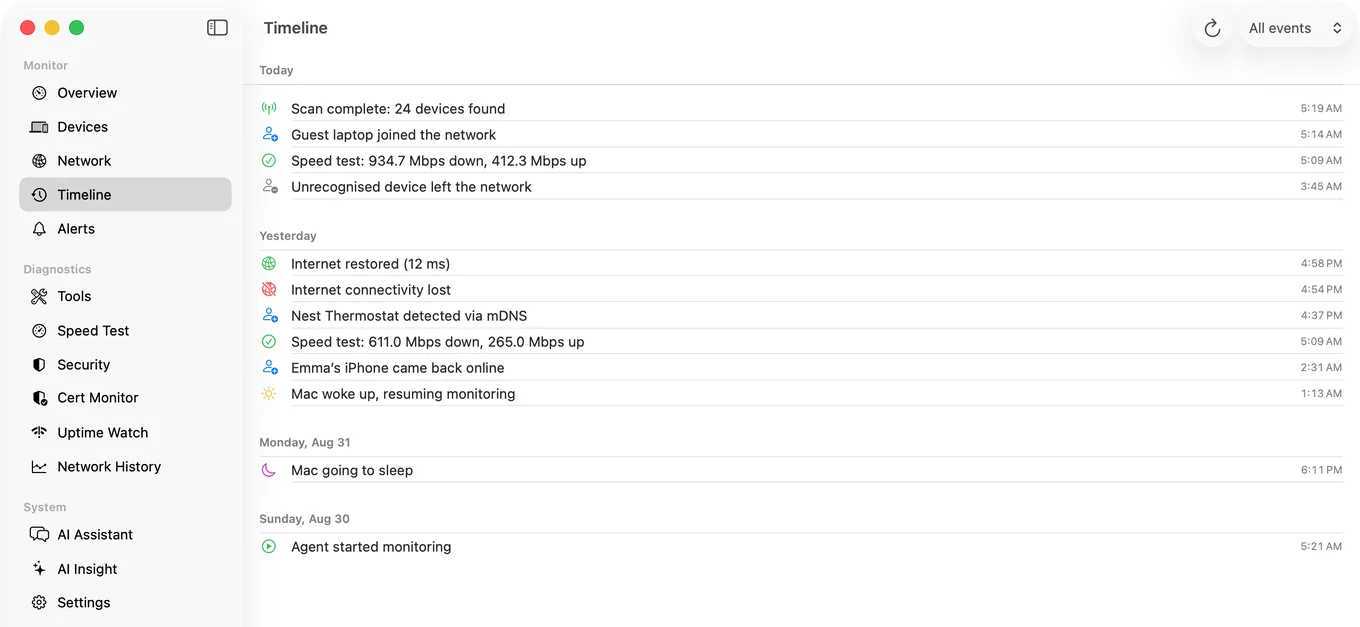
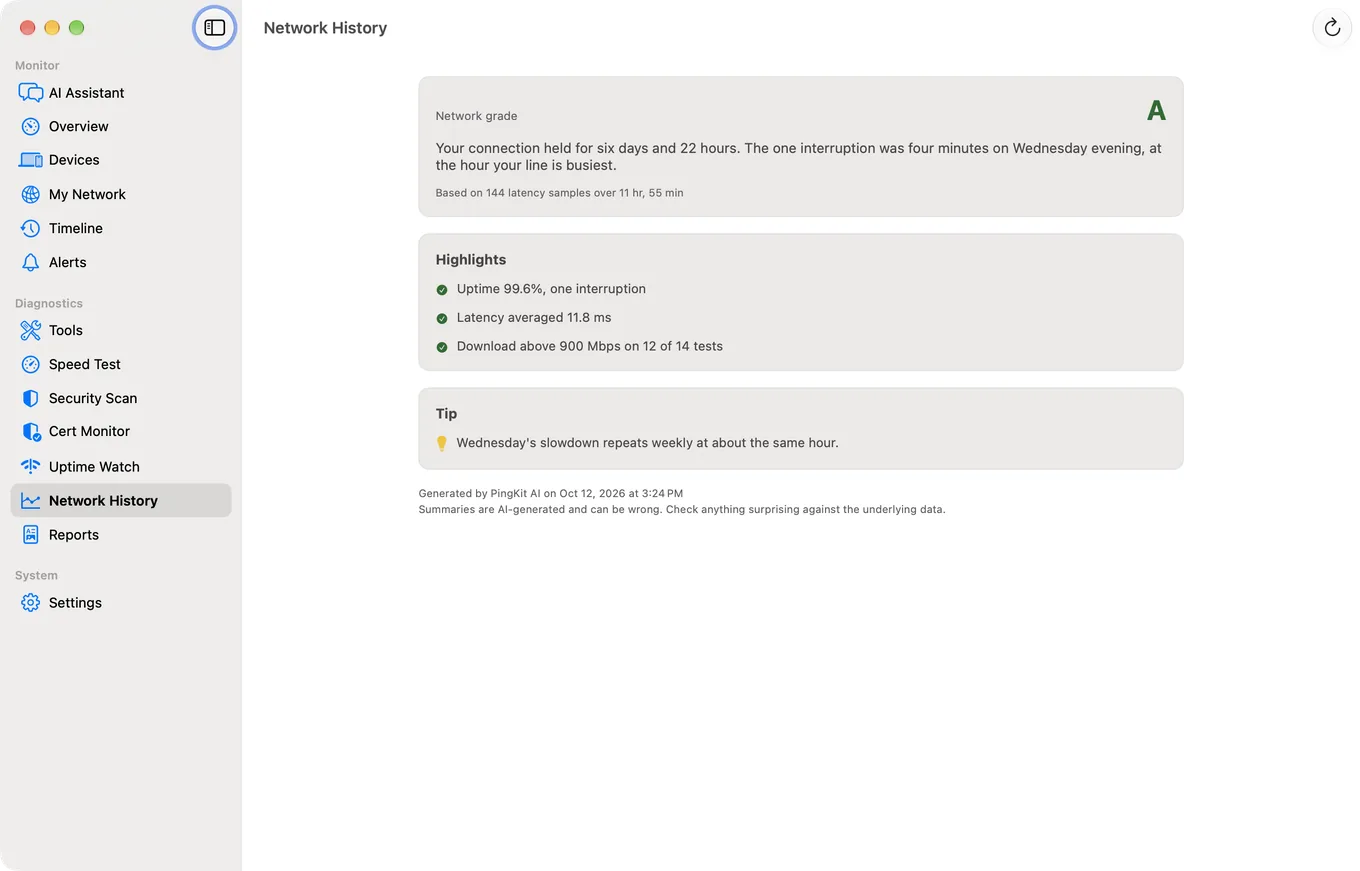
PingKit Agent checks your internet every 30 seconds on mains power (every minute on battery) while your Mac is awake. It records internet down and internet restored with timestamps, raises latency spike alerts, and shows your router's own reachability live in its Overview; the down alert itself cannot tell a dead router from a dead line, so keep the router ping above running beside it when you need that proof. Its timeline keeps the latest 500 events, one of them for every scan, which at the default 5-minute scan on mains power is under two days, so read it at least once a day and copy down the drops.
Presenting It So It Is Not Dismissed
- Dates and times for every event, with your timezone stated.
- The duration of each drop, not just that it happened.
- Evidence it is not your WiFi, which is the two-target test, ideally wired.
- The pattern. "Fourteen drops over five days, twelve of them between 7pm and 11pm" is a specific, investigable claim.
- What you already ruled out. Router restarted, cables reseated, tested wired, different device same result.
A traceroute or MTR run captured during a bad period is worth including too, since it shows where along the path the loss begins. Loss that starts at one hop and continues to the destination is real; loss at a single middle hop that clears afterwards is just that router deprioritising replies and will be correctly dismissed.
Honest Limits
The same Mac record is also the basis for being told about a drop rather than discovering it; getting a notification when your home internet goes down explains when that alert reaches your iPhone and when it cannot.
- The Mac must stay awake for the whole collection period. Adjust energy settings first, or you will find the gap is in your data rather than your line.
- An iPhone cannot do this. iOS suspends apps in the background, so continuous overnight logging is not possible on the phone.
- PingKit shows hop IPs and latency, not hostnames. There is no reverse DNS in its path analysis.
- Monitoring and its timeline are free on the Mac while it is awake; Guardian, $2.99/month or $24.99/year on iPhone or Mac, adds them to PingKit on your iPhone. macOS 15 or later.
Frequently Asked Questions
How do I prove my internet keeps dropping?
Collect a continuous timestamped log over several days, pinging both your router and an internet address at the same time. If the router stays reachable while the internet target fails, the fault is past your router and cannot be blamed on your WiFi.
What should I ping to test my connection?
Two targets at once: your router's local address, and a reliable internet address such as 1.1.1.1 or 8.8.8.8. Comparing them is what separates a local WiFi problem from a line problem.
Can my iPhone log internet drops overnight?
No. iOS suspends apps in the background, so an iPhone cannot run continuous monitoring while you are not using it. You need something that stays awake, such as a Mac, a Raspberry Pi or a router that logs events.
How long should I collect evidence before contacting my ISP?
Several days, covering both busy and quiet periods. A pattern such as drops concentrated in the evening is far more actionable than a handful of isolated events, and it points at congestion rather than a random fault.
Does packet loss at one traceroute hop mean that hop is faulty?
Usually not. Routers deprioritise replying to probes, so a middle hop showing loss while later hops are clean is normal. Only loss that begins at a hop and continues through to the destination indicates a real fault.
Collect the evidence while you sleep
Internet checks every 30 seconds on mains power while your Mac is awake, with timestamped down, restored and latency spike alerts kept as history, and your router's reachability shown live. macOS 15 or later.
Get PingKit Agent for MacRelated Articles
- How to Keep a History of Your Internet Speed on iPhone
- Why Does My Internet Keep Disconnecting?
- Scheduled Speed Tests on Mac
- Catch an Intermittent Internet Drop
- PingKit Agent for Mac
- Starlink Keeps Dropping: How to Log the Outages as Evidence
- How to Get a Notification When Your Home Internet Goes Down