Fing Agent Alternatives (2026): Network Monitoring Without New Hardware
Short version. Fing Agent is software you install on something that stays awake: a Raspberry Pi, a NAS through a container manager, or Docker. Fing lists it as available only with a paid subscription. That is a sound design, and it is also the barrier. If you already leave a Mac on and awake, a menu bar app gets you the same coverage for as long as the Mac stays awake, with nothing new to buy or maintain.
The reason this category needs a permanently powered device is not arbitrary. Monitoring means being present when you are not, and phones and laptops both sleep.
Full disclosure: I build PingKit Agent, so weigh the recommendation accordingly. The limits section is not padding, and there is a whole category of Mac network tool below that PingKit deliberately is not.
The Three Ways to Get Something Always On
| Approach | Cost | Maintenance | Reliability |
|---|---|---|---|
| Raspberry Pi | Hardware plus SD card | OS updates, SD card wear | Very good once stable |
| NAS you already own | None | Container updates | Excellent |
| Router with it built in | None if supported | None | Excellent |
| A Mac you already leave on | None | None beyond the app | Good, if it does not sleep |
| A Mac that sleeps | None | None | Poor, gaps overnight |
If you already own a NAS, that is probably the best answer, and it is worth checking whether your router already includes this before installing anything at all. Several do.
The Honest Case for Using a Mac
It suits one situation specifically: a Mac mini, an iMac, or a laptop on a desk that stays powered anyway. Then there is no new hardware, no operating system to patch, no SD card to fail silently at eighteen months, and no container to update.
It is a bad answer if your Mac sleeps or travels with you. A monitor with gaps overnight is worse than knowing you do not have one, because you will trust it.
What PingKit Agent Covers
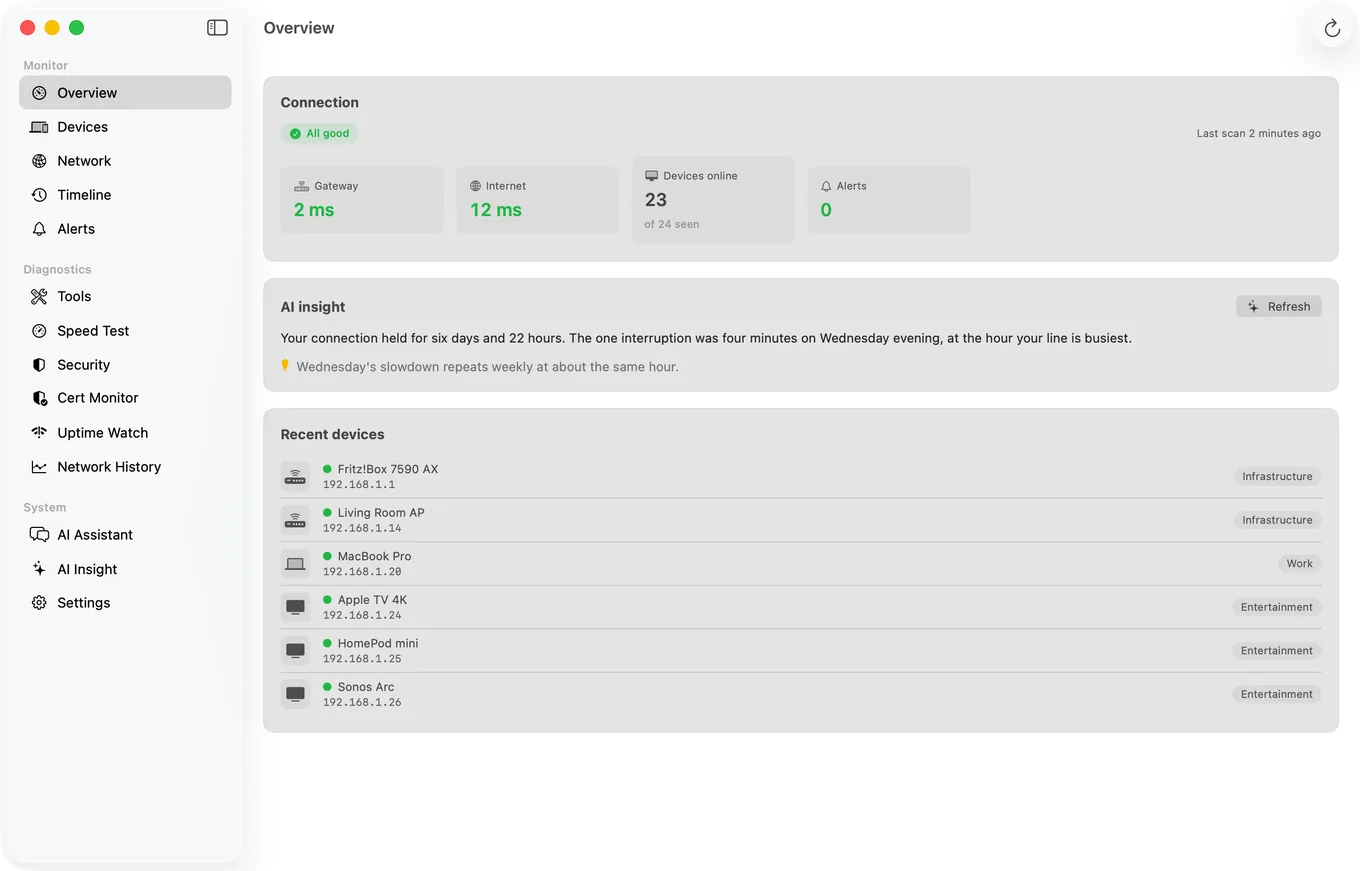
- Device discovery while the Mac is awake, every 5 minutes on mains power by default (15 on battery) or at an interval you set, with names from what each device announces or answers when asked (Bonjour, SSDP, NetBIOS, SNMP and hostnames), its type from port patterns, and the maker of its network chip from its MAC prefix where the address is not a private one (on macOS 15 and 26, and on macOS 27 with Agent 3.3.0 or later).
- Network alerts, free on the Mac: new device, device offline and back online, internet down and restored, latency spike, slow speed test and security risk. Device Offline and slow speed test alerts are off by default and switched on in the Agent's Settings. With Guardian, the Agent also tells you when a watched site goes down or comes back and when a certificate nears expiry, while your Mac is awake.
- Scheduled speed tests at an interval you choose, with history.
- Certificate expiry monitoring, read by the Mac every hour while it is awake: one domain free on every device, 5 with Guardian and 50 with Guardian Plus. On the Mac, the warnings at 30, 14, 7 and 1 days before expiry need Guardian.
- Website and TCP port uptime checks, every five minutes with Guardian (one URL hourly for free), that run server-side, so they continue even when your Mac is asleep.
- Alerts on your iPhone with Guardian, along with the Agent's devices and timeline in the iPhone app, through your own private iCloud database.
That last uptime point is worth noticing: it is the one part that does not depend on the Mac staying awake, because the checks do not run there.
What PingKit Agent is not. It does not measure bandwidth, throughput per app, or which process is using your connection. If that is what you came for, iStat Menus is the standard answer for your own Mac's usage and Little Snitch is the answer for controlling what your Mac connects to. PingKit Agent watches the network and the devices on it, which is a different job.
Honest Limits
- Everything except uptime checks pauses when the Mac sleeps. This is the central trade-off. A Pi or NAS does not have it.
- One Mac, one network. Your iPhone shows one Mac with Guardian and up to five with Guardian Plus, one at a time; there is no combined multi-site view.
- It cannot block a device. That is a router function.
- No bandwidth or per-process traffic accounting.
- macOS 15 or later. Monitoring while the Mac is awake, and its network alerts on the Mac, are free; Guardian, $2.99 a month or $24.99 a year on Mac or iPhone, adds the Agent's dashboard and alerts to PingKit on your iPhone, and site-down and certificate alerts on the Mac.
Frequently Asked Questions
What is Fing Agent and what does it run on?
Fing Agent is software that provides always-on network monitoring, installed on a device that stays powered: Fing lists a Raspberry Pi, a NAS through a container manager, and Docker. Fing lists it as available only with a paid subscription. The requirement for a permanently on device is inherent to continuous monitoring rather than specific to Fing.
Can I do always-on network monitoring without buying a Raspberry Pi?
Yes, if you already leave a Mac powered. A menu bar app can do the monitoring with no new hardware. It is only a good answer if the Mac does not sleep, since a monitor with overnight gaps is worse than none because you will trust it.
Is a NAS better than a Mac for network monitoring?
If you already own a NAS, usually yes. It is designed to stay on, uses very little power and does not sleep. A Mac is the better choice only when it already stays on and awake around the clock and you would rather not maintain another system.
What happens to monitoring when my Mac sleeps?
Device discovery, connectivity checks, certificate checks and scheduled speed tests pause, leaving a gap. Website uptime checks continue because they run server-side rather than on your Mac. Adjust energy settings if you want continuous coverage.
Does my router already do this?
Possibly. Several mesh systems and ISP routers include device lists and new device notifications. Check before installing anything, because the router sees every device that requests an address and can also block them, which no app can do.
No new hardware to buy or maintain
Device discovery, network alerts, scheduled speed tests and certificate monitoring on a Mac you already leave on and awake.
Get PingKit Agent for Mac