PRTG and Zabbix for a Home Network (2026): You Probably Do Not Need Them
Short version. PRTG, Zabbix and Nagios are genuinely powerful and genuinely built for infrastructure with change control and an on-call rota. On a home network the setup cost is high and most of the capability goes unused. If your real questions are "what is on my network", "is the internet up" and "is my speed what I pay for", a menu bar app answers them in minutes. PingKit Agent is that.
Searching for home network monitoring turns up enterprise tools, because enterprise vendors write a lot of content. They are not wrong that PRTG monitors a network. They are answering a much bigger question than most people asked.
Full disclosure: I build PingKit Agent, so weigh the recommendation accordingly. The limits section is not padding, and there is a whole category of Mac network tool below that PingKit deliberately is not.
What Enterprise Monitoring Assumes
These tools are built around assumptions a home does not meet:
- SNMP-capable equipment. Most of the value comes from polling managed switches, routers and servers over SNMP. Consumer gear largely does not speak it, and a smart bulb never will.
- A server that never sleeps. Something has to run the poller continuously.
- Someone to tune it. Sensors, thresholds, templates, escalation. That is the job, not a side effect.
- Alert fatigue management. Out of the box these systems are noisy, deliberately, because in a data centre you would rather be told twice.
If you run a homelab with managed switches and a hypervisor, ignore all of the above and use Zabbix. It is excellent and free. This page is not for you.
The Questions Most People Actually Have
| Question | Enterprise answer | Simpler answer |
|---|---|---|
| What is connected to my network? | Discovery scan plus SNMP | A LAN sweep every few minutes, with device naming |
| Did something new appear? | Discovery diff and a trigger | New device alert |
| Is the internet up? | ICMP sensor with a threshold | Internet down and restored alerts |
| Is my speed what I pay for? | Custom script sensor | Scheduled speed tests at your interval |
| Is my certificate about to expire? | SSL sensor per host | Certificate expiry tracking (the Mac's notifications for it need Guardian) |
| Is my site up? | HTTP sensor | Server-side uptime checks, every 5 minutes with Guardian |
Every row on the right is a default in PingKit Agent rather than something to configure. That is the whole trade: far less flexibility, close to zero setup.
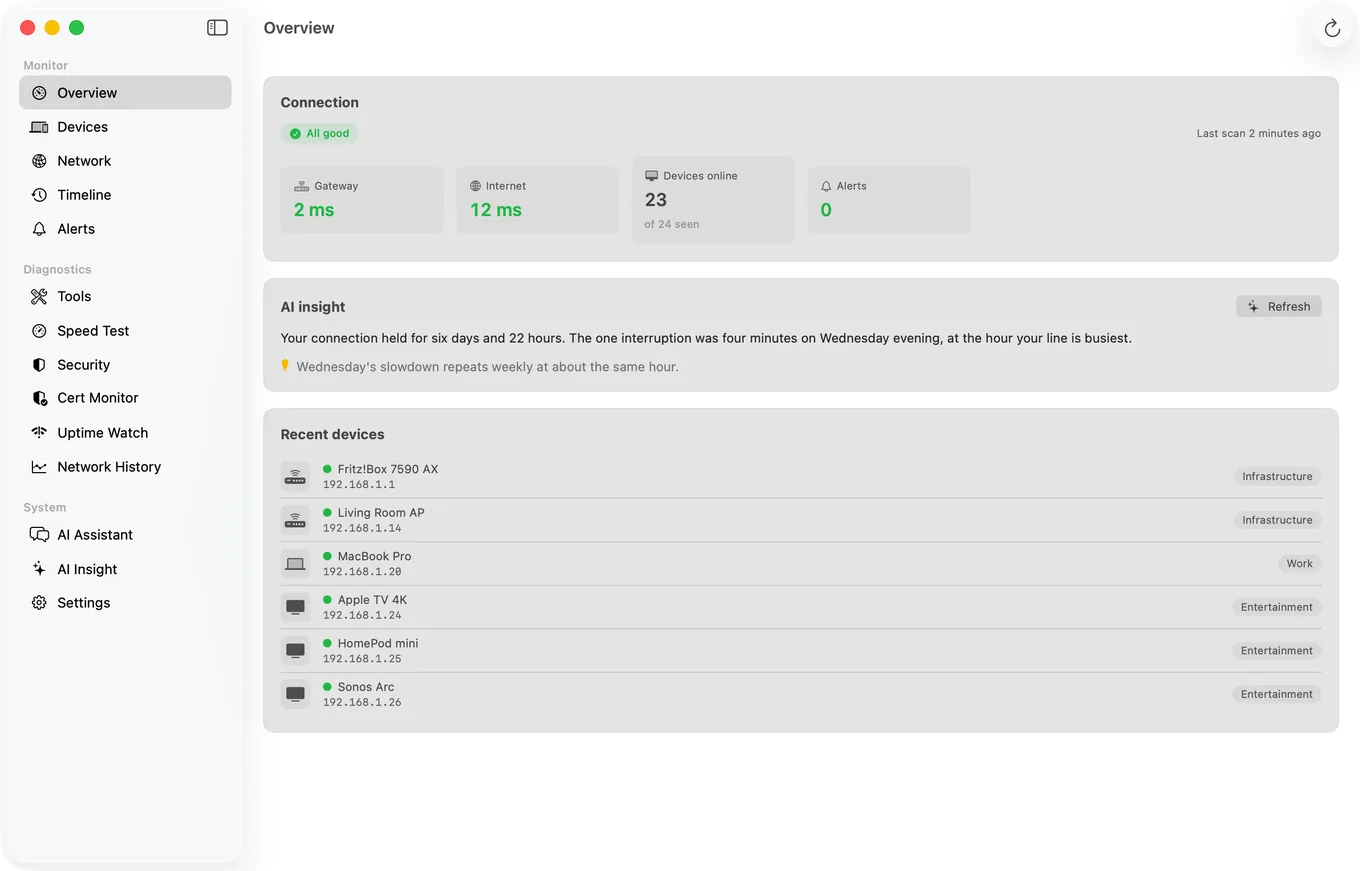
What PingKit Agent is not. It does not measure bandwidth, throughput per app, or which process is using your connection. If that is what you came for, iStat Menus is the standard answer for your own Mac's usage and Little Snitch is the answer for controlling what your Mac connects to. PingKit Agent watches the network and the devices on it, which is a different job.
When You Genuinely Should Use PRTG or Zabbix
- You have managed switches and want per-port statistics.
- You need SNMP polling of UPS units, NAS hardware or hypervisors.
- You want historical graphs over months with custom retention.
- You need alert escalation, acknowledgement and on-call routing.
- You are learning these tools deliberately, which is a perfectly good reason.
Honest Limits of the Simpler Approach
- No SNMP polling. PingKit Agent can read the name and description a printer, NAS or router reports over SNMP, read-only, to identify it, but it collects no per-port statistics and polls no managed hardware.
- No custom sensors or scripting. The built-in alert types are what you get, with a few adjustable thresholds such as latency and download speed.
- No bandwidth or per-process traffic accounting.
- Monitoring runs while your Mac is awake. A sleeping Mac is a paused monitor.
- Local history, not a long-term time series database.
- macOS 15 or later.
Frequently Asked Questions
Is PRTG overkill for a home network?
For most homes, yes. PRTG's value comes from SNMP polling of managed equipment and configurable sensors, and consumer hardware largely does not speak SNMP. If you run a homelab with managed switches it is a reasonable choice; otherwise the setup cost outweighs what you get.
What is the simplest way to monitor a home network?
Something that keeps watching devices, connectivity and speed without configuration. PingKit Agent is a Mac menu bar app that, while the Mac is awake, does continuous device discovery, internet up and down alerts, scheduled speed tests and certificate expiry tracking with no sensor setup.
Can Zabbix or Nagios run on a Mac?
Both can run on macOS, typically in Docker, but neither is designed for it and both expect a machine that stays awake. A Mac that sleeps makes any continuous poller unreliable.
Do I need SNMP to monitor my home network?
No, and most home equipment does not support it. Device discovery, connectivity checks and speed testing all work without SNMP. SNMP matters when you want per-port statistics from managed switches or detailed hardware metrics.
What does PingKit Agent not do that PRTG does?
No SNMP polling, no custom sensors, no scripting, no bandwidth accounting, no alert escalation or on-call routing, and no long-term time series database. It covers a fixed set of alert types, with a few adjustable thresholds such as latency, and essentially no other configuration.
The five questions, answered without a sensor to configure
Device discovery, internet alerts, scheduled speed tests, certificate expiry and uptime checks in your menu bar. macOS 15 or later.
Get PingKit Agent for Mac