Fing Desktop Alternatives for Mac (2026): Continuous Network Monitoring
Short version. Fing Desktop is the best-known background network watcher for Mac, and it runs on Windows and macOS. People look for alternatives for various reasons, often wanting something that lives in the menu bar or does not tie into a vendor account for sync. PingKit Agent is a menu bar app that does the same core job, device discovery every few minutes with alerts while your Mac is awake, with no account, and with Guardian your iPhone shows its findings through your own private iCloud database.
Watching a home network properly means something has to stay awake. A phone cannot do it, because iOS suspends apps in the background. That is why this category exists on the Mac at all, and why the realistic choice is between a handful of desktop apps that keep running in the background, and every one of them, Fing Desktop included, stops while the computer sleeps.
Full disclosure: I build PingKit Agent, so weigh the recommendation accordingly. The limits section is not padding, and there is a whole category of Mac network tool below that PingKit deliberately is not.
What This Category Actually Does
Continuous network monitoring on a Mac means three things running on a loop: sweeping the network to see what is present, checking the internet is still up, and telling you when either changes. Everything else is detail.
What PingKit Agent is not. It does not measure bandwidth, throughput per app, or which process is using your connection. If that is what you came for, iStat Menus is the standard answer for your own Mac's usage and Little Snitch is the answer for controlling what your Mac connects to. PingKit Agent watches the network and the devices on it, which is a different job.
The Comparison
| Fing Desktop | PingKit Agent | |
|---|---|---|
| Continuous device discovery | Yes | Yes |
| New device alerts | Yes | Yes |
| Internet up/down alerts | Yes | Yes |
| Account required | Not for basic use; enables sync | No |
| Lives in the menu bar | Not stated | Menu bar |
| Scheduled speed tests | Yes | Yes, interval you set |
| TLS certificate expiry monitoring | No | Yes |
| Website uptime checks | No | Yes |
| Syncs to an iPhone app | Yes | Yes, with Guardian, via your own iCloud |
| Bandwidth / per-app usage | No | No |
What PingKit Agent Will Tell You About
Alerts are the reason to run any of these. The Agent raises these on the Mac:
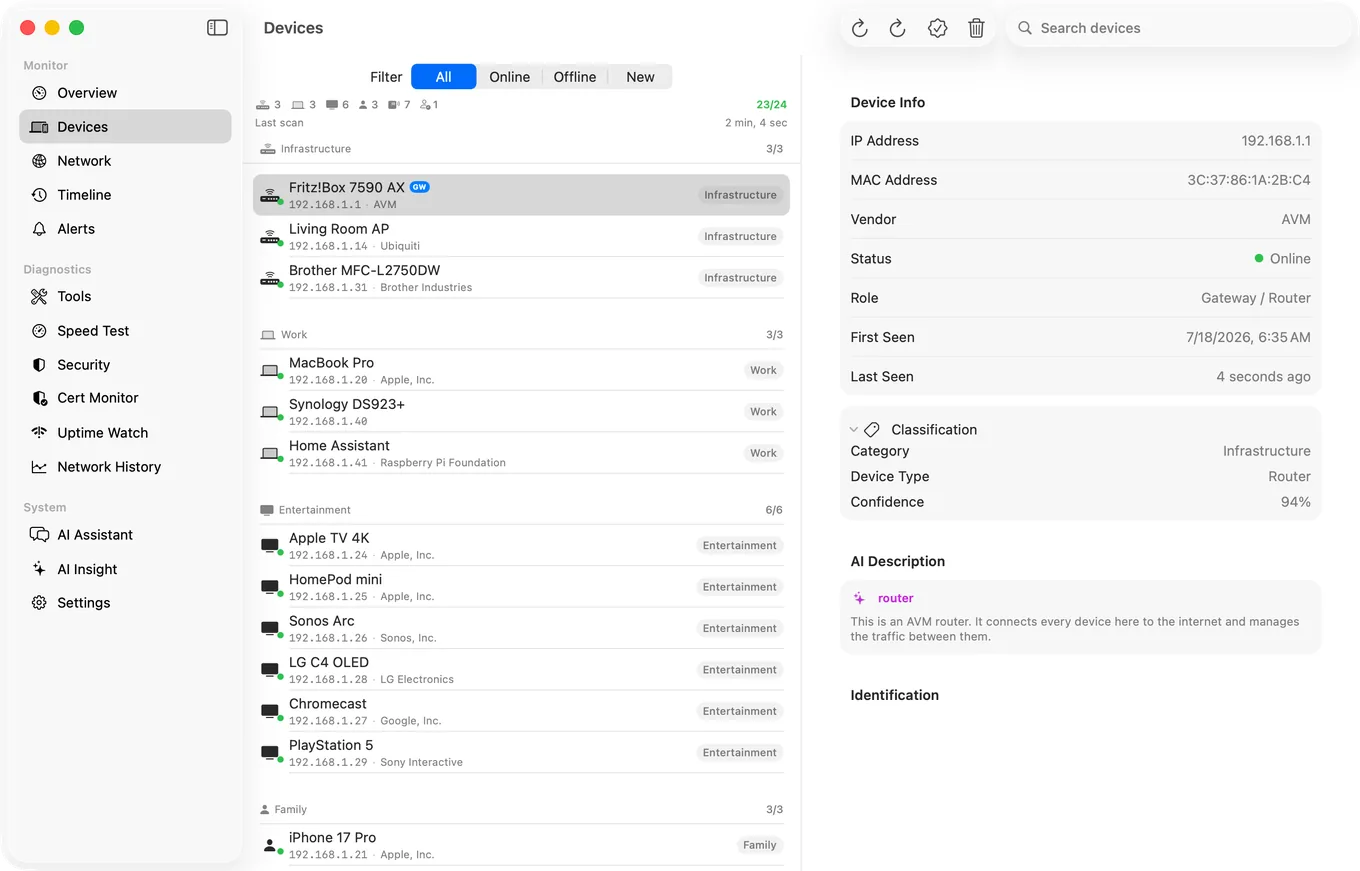
- New device joined the network
- Device offline and device online, off by default and switched on in the Agent's Settings
- Internet down and internet restored
- Latency spike
- Speed below threshold, also off by default
- Security risk found by the recurring assessment
- With Guardian, a watched website going down or coming back, and a certificate nearing expiry, while your Mac is awake
Scan interval, ping interval and speed test interval are all configurable rather than fixed.
The iPhone Half
The Agent publishes its devices, alerts, latency history, speed tests and timeline to your own private iCloud database, and with Guardian the PingKit iPhone app reads them. Nothing passes through a server I control, and I cannot see any of it.
Worth being precise about the direction: the Mac publishes what it measures and the iPhone reads it. What goes back from the iPhone is only what you set there: the names and categories you give the Mac's devices, and commands such as a wake, a scan or a per-device alert rule. The iPhone app's own scans and history do not travel to the Mac.
Honest Limits
- It monitors while your Mac is awake. If the Mac sleeps, monitoring pauses. This suits a machine you already leave running rather than being a reason to buy one.
- No bandwidth or per-process traffic, as above.
- It cannot block a device. Blocking needs to sit in the traffic path. Use your router.
- Device naming is good, not infallible. Free identification uses vendor and protocol signatures; with Guardian, and once you allow PingKit's own AI service, an AI fallback fires only when signature matching is genuinely uncertain, with a 24 hour cooldown per device.
- macOS 15 or later.
Price on the Mac
Being specific, because PingKit's prices differ per platform: on the Mac, Guardian is $2.99/month or $24.99/year, both with a one week free trial. Guardian Plus is $4.99/month or $39.99/year, both with a one week free trial. A subscription bought on either device unlocks the same tier on both through iCloud.
Frequently Asked Questions
What is the best Fing Desktop alternative for Mac?
PingKit Agent is a menu bar app covering the same core job: device discovery every few minutes while your Mac is awake, new device and internet up/down alerts, and scheduled speed tests, with no account required. It also adds TLS certificate expiry monitoring and website uptime checks, which Fing Desktop does not do.
Does network monitoring require my Mac to stay awake?
Yes. Any continuous monitor stops when the machine sleeps. PingKit Agent monitors while your Mac is awake and running, so it suits a machine you already leave powered rather than being a reason to buy one.
Can a Mac network monitor show which app is using my bandwidth?
PingKit Agent does not do this. It watches the network and the devices on it, not your Mac's own traffic. For per-app bandwidth on your own Mac, iStat Menus is the usual choice; for controlling outbound connections, Little Snitch.
Does PingKit Agent need an account?
No. There is no sign-up. With Guardian, its data reaches the iPhone app through your own private iCloud database, which means it stays under your Apple ID and is not visible to me.
Does buying Guardian on my Mac unlock it on my iPhone?
Yes. A subscription bought on either device unlocks the same tier on both through iCloud, so a Mac purchase unlocks the iPhone and an iPhone purchase unlocks the Mac Agent. If you hold one on each, the higher tier wins on both.
Menu bar monitoring, no account
Device discovery whenever your Mac is awake, network alerts, scheduled speed tests and certificate monitoring, in your menu bar. Requires macOS 15 or later.
Get PingKit Agent for Mac