PingKit for Coworking Spaces
Members don't renew a membership because the coffee's good if the WiFi drops during a client call. Test coverage across the floor plan, catch dead zones before a member does, and know about an outage before it shows up in your reviews.
The Tools You'll Reach For
| Situation | PingKit tool |
|---|---|
| Mapping link quality across the floor plan | Connection Monitor |
| Confirming actual throughput at each desk zone | Speed Test |
| A slowness complaint - is the network just crowded? | LAN Scanner |
| Checking a specific access point's responsiveness | Ping Test |
| Knowing about an outage before members tell you | Mac Agent (free, alerts on an on-site Mac that stays awake), PingKit Agent (free, on a Raspberry Pi or NAS that stays on) or Uptime Watch (one address free, hourly; every 5 minutes with Guardian) |
Finding Dead Zones Before a Member Does
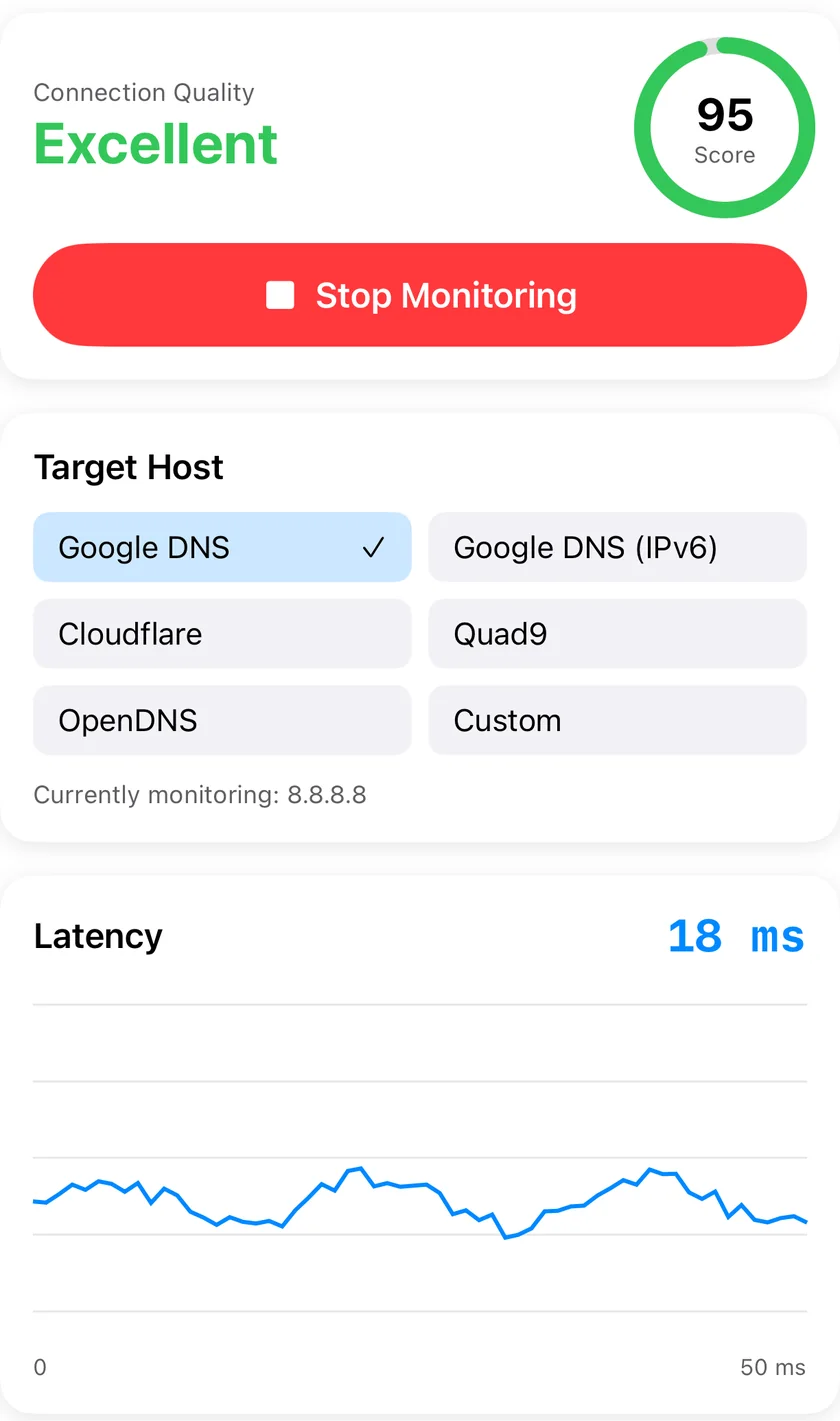
Walk the space with Connection Monitor, checking latency, jitter and packet loss zone by zone. The usual suspects are desks near the edges of the floor plan, phone booths, and anything separated by an elevator shaft or concrete wall. Strong signal doesn't guarantee strong throughput either - run Speed Test at each spot, since an oversubscribed access point can show full bars and still deliver a fraction of the speed a member expects.
When a Member Says "The WiFi's Slow"
Before assuming it's the ISP, check LAN Scanner to see the devices it can find and how crowded the network looks at that moment - a busy coworking space can easily see 2-4 devices per member across laptops, phones, and watches, and a sudden spike in connected devices is often the real explanation, not a plan that needs upgrading.
Knowing Before It's a Review
An outage during business hours costs you member trust fast, and finding out from a member is worse than catching it yourself. The free Mac Agent, on a Mac that stays awake at the space, checks the connection every 30 seconds on mains power and raises an Internet Down alert on that Mac after three failed checks in a row, no subscription needed. Without a spare Mac on-site, PingKit Agent on a Raspberry Pi or NAS that stays on does the same once a minute, free on the device, and with Guardian PingKit's server tells your iPhone the internet there looks down within about three minutes, while the line is still down. Or Guardian's Uptime Watch checks a reachable address every five minutes instead - less immediate, but no hardware required.
Multiple locations? The same setup works per site - Mac Agent where practical, Uptime Watch where it isn't. Your iPhone shows one Mac with Guardian and up to five with Guardian Plus.
Frequently Asked Questions
How do I test WiFi coverage across a coworking floor plan?
Walk the space with Connection Monitor checking latency, jitter and loss zone by zone, then run Speed Test at each spot - a stable link doesn't always mean strong throughput.
How many devices can our WiFi handle before it slows down?
No fixed number - it depends on your access points. LAN Scanner lists the devices it finds when you scan, so you can check crowding before assuming it's the ISP.
Can PingKit alert us if the internet goes down?
Yes - Uptime Watch checks every five minutes on Guardian, or the free Mac Agent, on a Mac that stays awake on-site, checks the connection every 30 seconds on mains power and raises an alert on that Mac. PingKit Agent on a Raspberry Pi or NAS that stays on is the option without a Mac.
Related Use Cases
Test and Prove Your Space's WiFi
19 free network tools and a free Mac Agent, no ads, no account. More Uptime Watch comes with Guardian at $2.99/mo on iPhone or Mac.
Download PingKit Free