PingKit for Airbnb & Vacation Rental Hosts
Airbnb now shows guests a WiFi speed badge right on your listing, self-reported by you. Get the number right, keep it current between guests, and know about an outage before a guest messages you mid-stay instead of after.
The Tools You'll Reach For
| Situation | PingKit tool |
|---|---|
| Confirming your listing's WiFi speed tier | Speed Test |
| A speed complaint - is the network just crowded? | LAN Scanner |
| Quick pre-checkin check before every turnover | Ping Test, WiFi Analyzer |
| Knowing about an outage before a guest messages you | Uptime Watch (one address free, hourly; every 5 minutes with Guardian), plus the Mac Agent (free) to log outages at the property |
| A computer at the property needs waking | Wake on LAN (from away: Guardian and PingKit Agent on a Mac there that is awake) |
Airbnb's WiFi Speed Badge, and How to Get It Right
Airbnb's host resources describe guests seeing a WiFi speed indicator on listings, built around roughly three tiers: 7-24 Mbps as solid enough for HD streaming, 25-49 Mbps as snappy enough for 4K and video calls, and 50+ Mbps as genuinely fast. Airbnb's own guidance leans toward testing over WiFi rather than a wired connection, since that's what a guest actually experiences - and toward re-testing periodically rather than reporting a number once and forgetting it.
Run Speed Test from where a guest would actually stand - the living room, not next to the router - and run it a few times across different times of day. Evening congestion in the building or neighborhood can pull real-world speed well below what your plan is rated for, and a speed claim that turns out to be wrong at 9pm on a Saturday is the kind of thing that shows up in a review.
Between Guests: The Turnover Check
Short-term rentals turn over every few days, and each new guest is a fresh chance for a bad first WiFi impression. A fast pass with WiFi Analyzer and Ping Test before a guest arrives confirms the connection works right now, catching a router that never came back properly after a reboot or an ISP fault that is still going on - cheaper to catch it yourself than to read about it in a review.
Knowing Before the Review Mentions It
The most direct way to monitor a property remotely is leaving a Mac there (any Mac that runs macOS 15 or later, even an older one repurposed for the job) running PingKit's free Mac Agent. While that Mac is awake (set it not to sleep), it checks the connection every 30 seconds on mains power and logs each outage on that Mac, and with Guardian its alerts and history reach PingKit on your iPhone through iCloud; an outage alert travels over the property's own connection, so you hear about an outage only once the internet is back. If a Mac isn't practical, PingKit Agent on a Raspberry Pi left at the property does the same job while it stays on, free on the device, and with Guardian PingKit's server tells your iPhone the internet there looks down within about three minutes, while the line is still down. Or Guardian's Uptime Watch can monitor a specific reachable address at the property - a router's remote-management page or a self-hosted service - checked every five minutes instead.
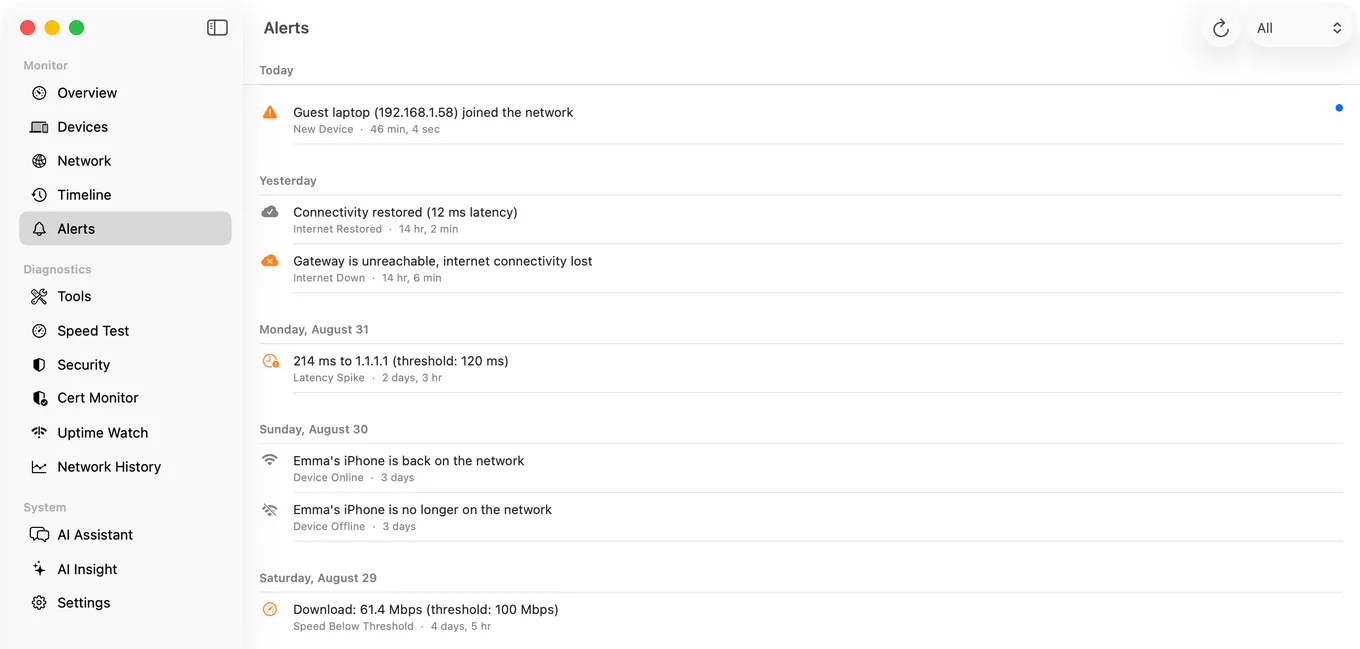
Managing several listings? Uptime Watch can watch a reachable address at each property (one free, up to 10 with Guardian) and gives you a heads-up before check-in day turns into a support ticket. A Mac Agent at a property adds a record of its outages and devices; your iPhone shows one Mac with Guardian and up to five with Guardian Plus.
Frequently Asked Questions
What WiFi speed does Airbnb recommend for hosts?
Airbnb's host resources describe roughly three tiers: 7-24 Mbps as solid for HD streaming, 25-49 Mbps as snappy enough for 4K and calls, 50+ Mbps as fast. Larger properties or ones marketed toward remote workers should target well above the minimum.
How do I test my Airbnb's WiFi speed accurately?
Test over WiFi from where a guest would stand, not next to the router, and run it a few times across different times of day - evening usage can lower real-world speed below your plan's rated number.
Can PingKit tell me if my rental's internet goes down while I'm not there?
Yes. Uptime Watch can check a reachable address at the property, such as your router's remote-management page, from PingKit's servers and notify your iPhone when it stops answering: one address free, checked every hour, or every five minutes with Guardian. A Mac left awake at the property running the free Mac Agent also logs each outage on that Mac, but its alerts travel over the property's own connection, so they cannot reach you while the internet is down, and seeing them on your iPhone needs Guardian.
Related Use Cases
Test and Prove Your Listing's WiFi
19 free network tools and a free Mac Agent, no ads, no account. More Uptime Watch comes with Guardian at $2.99/mo on iPhone or Mac.
Download PingKit Free