Postman for iPhone (2026): API Testing from iOS
Short version. Postman is built around collections, environments, scripting and team sync, and most of that needs a desktop. The part that translates to a phone is the core loop: send a request with your own method, headers and body, read the full response, and keep the requests you use often. PingKit does that free, including named saved requests grouped into collections.
Nobody wants to write an entire API test suite on a phone. The realistic scenario is narrower: something is failing, you are not at your desk, and you need to know whether the endpoint is returning what you expect.
Full disclosure: I build PingKit, so weigh the recommendation accordingly. The limits section below is not padding, and the point of these pages is to tell you when the answer is "use a computer".
What Carries Across and What Does Not
| Postman feature | On iPhone |
|---|---|
| Custom method, headers, body | Yes |
| Full response inspection | Yes: status, headers, body, size, MIME type |
| Response timing | Yes |
| Redirect chain | Yes |
| Saved requests | Yes, named |
| Collections | Yes, as grouping |
| Environments and variables | No |
| Pre-request and test scripts | No |
| Automated collection runs | No |
| Team workspace sync | No |
| Mock servers, monitors | No |
The dividing line is roughly: inspection works on a phone, automation does not. If your workflow depends on scripted assertions or shared workspaces, a phone is not going to replace it and nothing in the App Store will change that.
The One Thing a Phone Does Better
It is on a mobile network. Testing an API from cellular rather than from your office connection is the only way to reproduce a whole class of problems: geo-routed CDN responses, IPv6-only mobile network behaviour, carrier middleboxes, captive portals, and endpoints that behave differently by client IP. A laptop on the office LAN cannot see any of that.
Useful pairing. When a request fails, the question is usually whether it is the API or the path to it. Run the request, then check DNS resolution and the TLS certificate for the same host. Three tools in ninety seconds usually isolates it.
What PingKit Provides
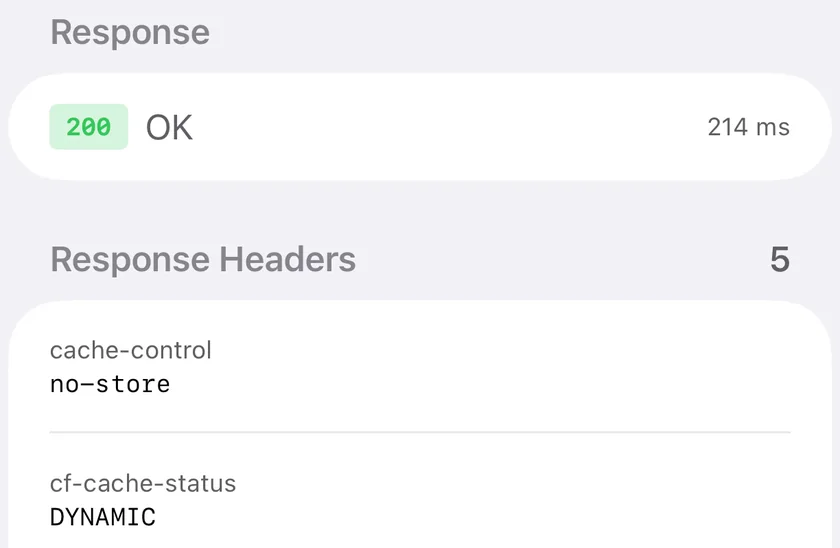
HTTP Analyzer: GET, POST, PUT, DELETE, PATCH, HEAD and OPTIONS, arbitrary request headers, a request body on the methods that take one, and a response view with status code and message, all response headers, the body, its size, MIME type, timing and the complete redirect chain. Requests can be saved with a name and assigned to a collection.
Alongside it, DNS Lookup for nine record types, SSL Inspector for the certificate chain and expiry, and MTR for path analysis when the endpoint is reachable but slow. All free, no account.
Honest Limits
- No variables or environments. Requests are literal, so a base URL or token has to be edited by hand rather than swapped by environment.
- No scripting or assertions. Nothing equivalent to Postman tests.
- No import of Postman collections. Saved requests are created in the app.
- No TLS verification bypass and no client certificates.
- Cleartext HTTP to a public host is blocked by App Transport Security. Local addresses work.
Other Options
Postman on the web works in mobile Safari to a degree, though the interface is not designed for a phone and the desktop agent is required for some request types.
Shortcuts is a genuine option for a request you repeat often, and it can be triggered from the home screen or by automation.
Frequently Asked Questions
Is there a Postman app for iPhone?
There is no full native iPhone version of Postman. The web application can be opened in mobile Safari but is not designed for a phone, and some request types need Postman's desktop agent.
What is the best way to test an API from an iPhone?
Use a native HTTP client. PingKit's HTTP Analyzer supports seven methods with custom headers and bodies, shows the full response including headers, timing and redirects, and lets you save named requests into collections. It is free with no account.
Can I import my Postman collections onto an iPhone?
Not into PingKit. Saved requests are created in the app rather than imported. If collection portability is essential to your workflow, that is a desktop requirement.
Why test an API from a phone at all?
Because it is on a mobile network. Cellular reveals geo-routed CDN behaviour, IPv6-only mobile networks, carrier middleboxes and captive portals that a laptop on your office connection cannot reproduce.
Does PingKit support scripting or automated test runs?
No. There is no equivalent of Postman's pre-request scripts, test assertions or collection runner. It covers manual inspection, not automation.
Check the endpoint from wherever you are
Seven methods, custom headers and bodies, full response inspection, saved requests and collections. Free on iPhone and iPad.
Download PingKit Free