nmap on a Mac (2026): Install It, and When Not to Bother
Short version. nmap runs natively on macOS. brew install nmap and you are done. It is the most capable network scanner there is, and for the two questions people usually have (what is on my network, is this port open) it is more tool than the job needs. Scan only networks you own or administer.
Installing It
With Homebrew, which is what most people should use:
brew install nmap
nmap --version
Without Homebrew, the nmap project publishes an official macOS disk image containing an installer, which also includes Zenmap, Ncat and Ndiff. It is an x86-64 build, so on Apple Silicon it runs under Rosetta. Take it from the project's own download page rather than a third-party mirror.
The Commands Worth Knowing
What is on my network
nmap -sn 192.168.1.0/24-sn is a host discovery sweep with no port scanning. Adjust the range to match your own subnet, which ipconfig getifaddr en0 will tell you.
Which ports are open on one device
nmap 192.168.1.1By default this checks the 1,000 most common ports. Add -p- for all 65,535, which is much slower.
What is actually running on those ports
nmap -sV 192.168.1.1Service and version detection. Slower, and considerably more informative than a bare open/closed list.
A faster sweep
nmap -F 192.168.1.0/24-F checks only the 100 most common ports.
Two macOS specifics. Some scan types need raw sockets and therefore sudo, including the default SYN scan; without it nmap falls back to a slower connect scan. And macOS may prompt for permission the first time nmap uses the local network, under System Settings, Privacy and Security, Local Network.
Use It Only Where You Are Allowed To
Scan your own network and your own machines. Scanning hosts you do not own or administer is, depending on where you are, a contract violation, an offence, or both, and it is trivially logged by the other end. This is not a legal grey area worth exploring for curiosity's sake.
When nmap Is More Than You Need
nmap is superb and it answers a question you have to know how to ask. The two most common real questions have lighter answers.
"What is on my network?" If you want a list right now, arp -a is instant and already installed, though incomplete. If you want to know when something new appears, nmap cannot help at all: it scans when you run it, and nothing joins your network at a time you happen to be at a terminal.
"Is this port open?" netcat is built in and does not need installing:
nc -zv 192.168.1.1 22The case this section describes, in a menu bar app that keeps the answer between runs instead of printing it once: PingKit Agent for Mac
Where a Monitor Fits Instead
Those scheduled scans, and the alerts they raise when a device appears or (once you switch that alert on in the Agent's Settings) drops off the network, are what the Mac menu bar network monitor is for, and they carry on with no terminal window open.
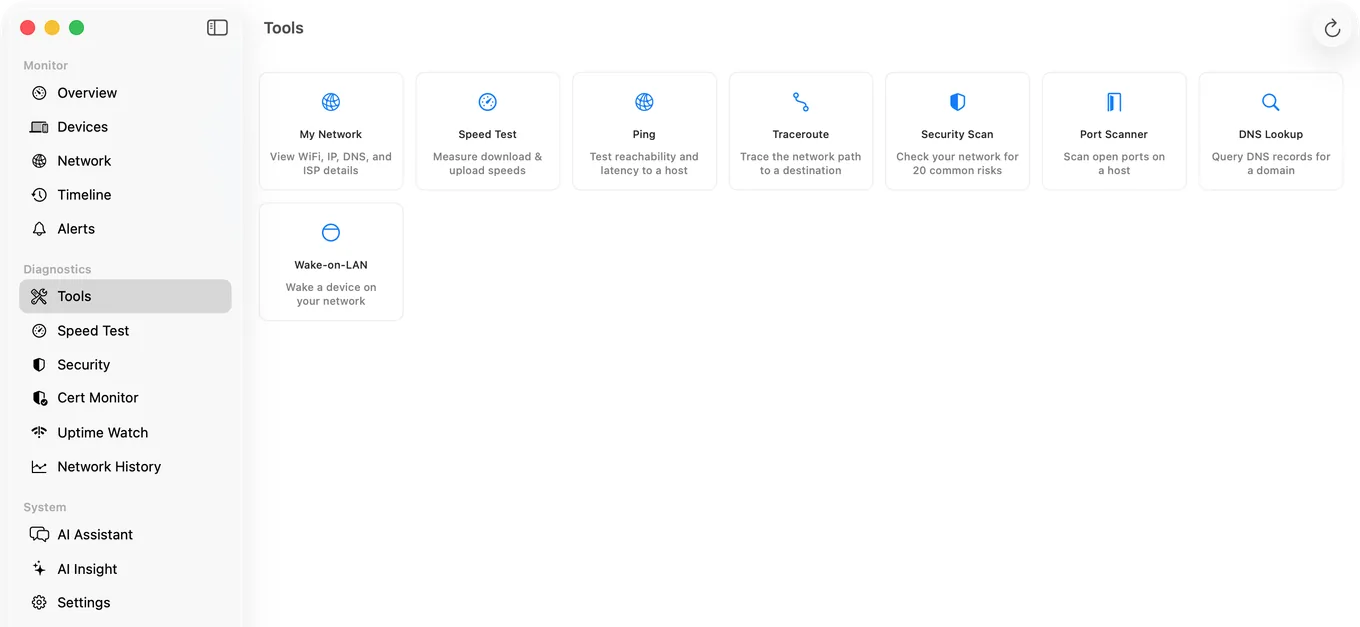
PingKit Agent is not an nmap replacement and does not try to be. Its port scanner covers the top 100 ports, ports 1 to 1024, common web ports, or a custom range up to 65535, which handles ordinary checks without the flags. What it adds is the part nmap structurally cannot: while your Mac is awake it keeps scanning on a schedule you set, tracks devices between scans, and raises an alert when a device appears or, once you turn on Device Offline alerts, disappears.
The honest split: nmap is far more capable per scan. A monitor is more useful across time. If you already know nmap, keep it, and the reason to add a monitor is coverage of the hours you are not watching.
Honest Limits
- PingKit Agent's port scanner is not close to nmap's depth. No service version detection, no OS fingerprinting, no scripting engine.
- No packet capture in either. That is Wireshark.
- Monitoring pauses when the Mac sleeps.
- macOS 15 or later.
Frequently Asked Questions
How do I install nmap on a Mac?
Run brew install nmap if you have Homebrew. Otherwise download the official macOS disk image from the nmap project's download page, which installs nmap along with Zenmap, Ncat and Ndiff. Confirm it worked with nmap --version.
How do I scan my local network with nmap on macOS?
Run nmap -sn 192.168.1.0/24, adjusting the range to match your own subnet. The -sn flag performs host discovery without scanning ports, which is the fastest way to list what is present.
Does nmap need sudo on a Mac?
Some scan types do, because they use raw sockets. Without sudo nmap falls back to a connect scan, which works but is slower. macOS may also prompt for Local Network permission the first time it runs.
Is it legal to use nmap?
Scanning networks and machines you own or administer is fine. Scanning hosts belonging to others without permission may breach your service agreement or the law depending on your jurisdiction, and is easily logged by the target.
What is a simpler alternative to nmap on a Mac?
For listing devices, arp -a is built in and instant though incomplete. For checking a single port, nc -zv host port needs no installation. For knowing when something new joins the network, you need continuous monitoring rather than a scanner, since a scan only reports the moment you run it.
Cover the hours you are not at a terminal
Scheduled network scans from the menu bar while your Mac is awake, with new device and optional offline alerts, plus a port scanner for the everyday checks. macOS 15 or later.
Get PingKit Agent for MacRelated Articles
- nmap for iPhone
- Port Scanner for Mac
- Advanced IP Scanner for Mac
- LAN Scanner vs Port Scanner
- PingKit Agent for Mac
- PingKit vs Nmap
Auditing the hosts, not just mapping the ports?
Noxen is our sister Mac app. It audits Linux hosts over SSH on a nightly schedule and matches the installed package list against a signed daily CVE feed, alongside a focused scan of the 40 ports homelab services actually run on, TLS checks, and admin-surface detection. It is native on the Mac, with no Docker stack and no feed sync to babysit. PingKit maps the ports on the network you are connected to; Noxen audits the remote hosts you administer.
Noxen compared with OpenVAS →