Port Scanner for Mac (2026): Built-In Options and When to Use an App
Short version. Unlike an iPhone, a Mac can do this properly. nc is already installed for quick checks, nmap via Homebrew gives you SYN scans, UDP and OS detection, and a GUI app is worth it when you want scanning tied to a device list you are already watching. Scan only equipment you own or administer.
The Mac is a full Unix system, so unlike iOS there is no platform restriction here. The question is which tool fits the job.
Full disclosure: I build PingKit Agent, so weigh the recommendation accordingly. The limits section is not padding, and there is a whole category of Mac network tool below that PingKit deliberately is not.
What You Already Have
netcat ships with macOS. To check a single port:
nc -zv 192.168.1.50 22
Or a range:
nc -zv 192.168.1.50 1-1024
Fast, no install, fine for "is this service up". No service identification and TCP only in practice.
lsof shows what is listening on your own Mac:
sudo lsof -iTCP -sTCP:LISTEN -n -P
This is the right tool when the question is "what is my own machine exposing", which is a different question from scanning another host.
When to Install nmap
brew install nmap. Worth it when you need what only raw sockets provide:
- SYN scans (
-sS), which are much faster than connect scans over large ranges - UDP scanning (
-sU), which nothing else here does - OS and service version detection (
-O,-sV) - The scripting engine for service-specific checks
Note that SYN scans and OS detection need sudo, because raw sockets require privileges. This is precisely the capability iOS never grants, which is why nmap cannot exist on an iPhone.
When a GUI App Is Worth It
Not for raw capability, since nmap wins on that comfortably. It is worth it when scanning is part of something continuous: you are already watching a device list, and you want to check a device without leaving the context or looking up its address.
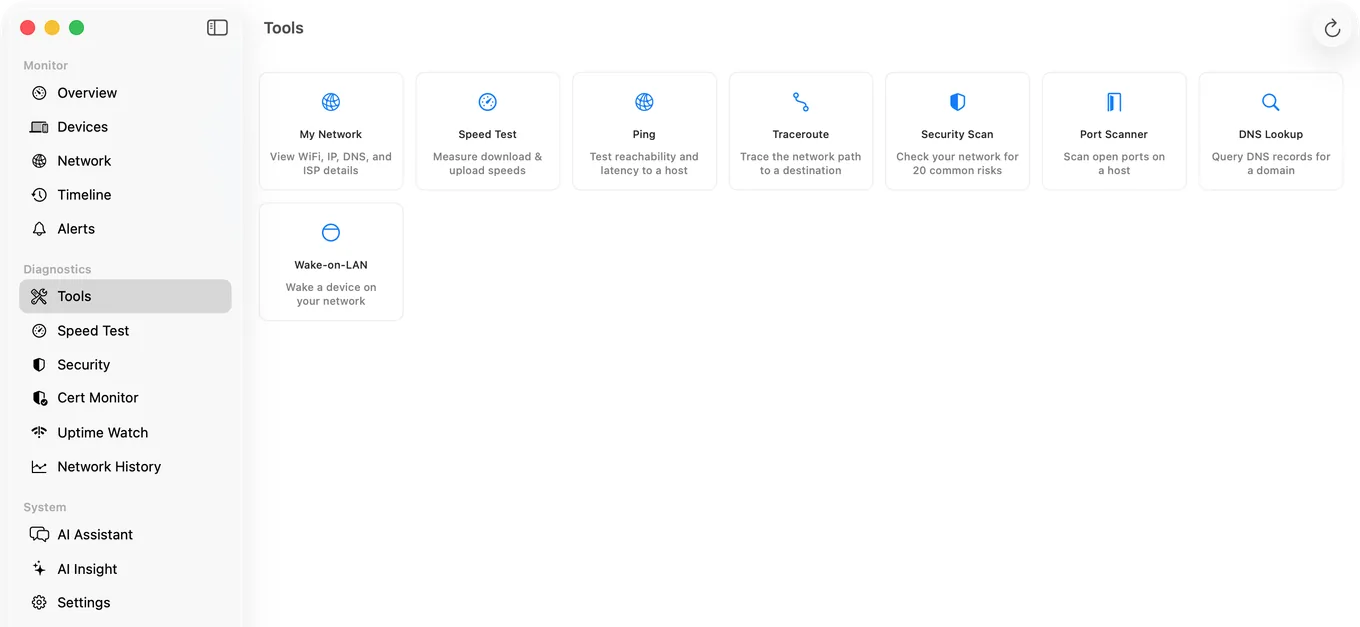
PingKit Agent includes a TCP port scanner alongside its device list, so you can go from "what is this unfamiliar device" to "what is it running" directly. It also profiles ports as part of identifying devices, which is one of the signals it uses to work out what something is.
| Need | Tool |
|---|---|
| Check one port quickly | nc -zv |
| What is my own Mac listening on? | lsof |
| UDP, OS detection, scripting | nmap |
| Scan a device from a list you watch | A monitoring app |
| Continuous change detection | A monitoring app |
Scope matters. Scanning equipment you own or administer is ordinary diagnostic work. Scanning hosts and networks you do not have permission to test is a different matter and may be unlawful where you live. PingKit is built for the first case: your own network and devices you own.
Honest Limits of the App
- TCP connect scanning only. No SYN scan, no UDP, no OS fingerprinting, no scripting. Use nmap for those.
- Local segment, not arbitrary ranges.
- Device identification uses signatures, meaning vendor prefix (on macOS 15 and 26, and on macOS 27 with Agent 3.3.0 or later), advertised services, the names devices give when asked, hostname and port patterns, and the reply's TTL as a hint at the operating system family, rather than nmap-style stack fingerprinting.
- macOS 15 or later.
Frequently Asked Questions
Does macOS have a built-in port scanner?
netcat (nc) is included and handles single ports or ranges, for example nc -zv 192.168.1.50 1-1024. For what your own Mac is listening on, use sudo lsof -iTCP -sTCP:LISTEN -n -P. Neither identifies services in detail.
How do I install nmap on a Mac?
brew install nmap using Homebrew. SYN scans and OS detection require sudo because raw sockets need privileges, which is the same capability iOS never grants to apps.
What is the difference between nc and nmap?
netcat opens ordinary TCP connections, which answers whether a port accepts a connection. nmap can craft raw packets, enabling SYN scans, UDP scanning, OS fingerprinting and its scripting engine. nmap is far more capable and needs privileges for most of it.
Is port scanning legal?
Scanning equipment you own or administer is normal diagnostic work. Scanning hosts or networks you have no permission to test may be unlawful depending on where you are. Keep it to your own network.
Can I scan ports from an iPhone instead?
TCP connect scans and simple UDP probes, which PingKit's Port Scanner on iPhone offers for devices on your own network; a UDP port that stays silent cannot be told apart from a filtered one. iOS does not grant raw socket access to apps, so SYN scanning and OS detection are impossible there. A Mac has no such restriction.
Scanning tied to the devices you are watching
A TCP port scanner next to a device list that keeps updating while your Mac is awake, with alerts when a new device joins. macOS 15 or later.
Get PingKit Agent for Mac