MXToolbox for iPhone (2026): DNS and Mail Record Checks on iOS
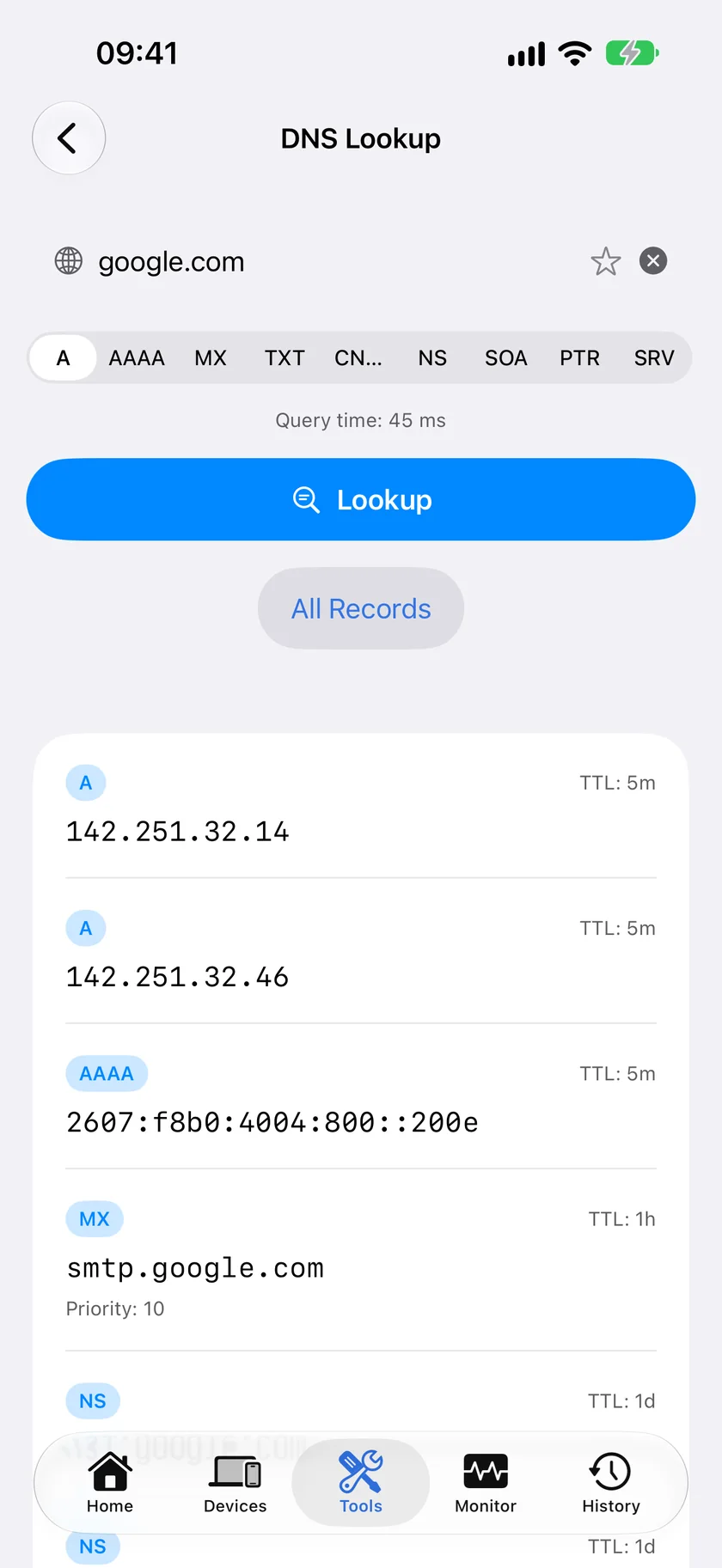
Short version. MXToolbox is a web service with no native iPhone app. The DNS lookups it is most used for, MX, TXT for SPF and DMARC, NS and A records, all work in a native iOS app. PingKit queries nine record types free. What it does not do is blacklist checking or live SMTP testing, which need server-side infrastructure.
MXToolbox is the reflex bookmark for mail and DNS troubleshooting. There is no native iPhone app, and the site on a phone is workable but ad-heavy and fiddly. Most of what people actually use it for is a plain DNS query.
Full disclosure: I build PingKit, so weigh the recommendation accordingly. The limits section below is not padding, and the point of these pages is to tell you when the answer is "use a computer".
What Is Just a DNS Lookup
More of MXToolbox than people realise is a record query with a friendly label:
| MXToolbox check | What it really queries | On iPhone |
|---|---|---|
| MX Lookup | MX records | Yes |
| SPF Record Check | TXT at the domain | Yes |
| DMARC Lookup | TXT at _dmarc.domain | Yes |
| DKIM Lookup | TXT at selector._domainkey.domain | Yes |
| DNS Lookup | A, AAAA, CNAME, NS, SOA | Yes |
| Reverse Lookup | PTR record | Yes |
| SRV Lookup | SRV records | Yes |
| Blacklist Check | Queries ~100 DNSBLs | No |
| SMTP Diagnostics | Live SMTP conversation | No |
| Domain Health | Aggregate of many checks | No |
The first seven rows are ordinary lookups you can run on a phone. The last three need infrastructure on the other end.
Finding a DKIM record. DKIM lives at selector._domainkey.example.com, and you need the selector, which is not discoverable by guessing. Look at the DKIM-Signature header of a message the domain sent; the s= value is the selector. Then query TXT for that name.
Why a Native App Beats the Mobile Site
No ads, no consent banner, results in a readable form rather than a wide table squeezed onto a phone screen, and the neighbouring tools are one tap away. When an MX record looks right but mail still fails, the next questions are usually whether the host resolves, whether it is reachable, and what certificate it presents. Ping, MTR and SSL Inspector are in the same app.
Honest Limits
- No blacklist checking. Querying a hundred DNSBLs is a server-side job and PingKit does not do it. This is the biggest genuine gap against MXToolbox.
- No SMTP diagnostics. No live conversation with a mail server, no banner grab, no STARTTLS test.
- No resolver selection. Queries go through the system resolver, so you cannot compare answers from different resolvers without changing DNS in iOS Settings.
- No aggregate health score. Individual records, not a combined report.
- WHOIS on an IP returns geolocation-style data rather than RDAP network ranges and abuse contacts.
Which Should You Use?
Checking whether a record is correct: a native app, faster and cleaner on a phone.
Diagnosing why mail is being rejected: MXToolbox, because blacklist and SMTP checks are the whole point and no phone app can replace them.
Frequently Asked Questions
Is there an MXToolbox app for iPhone?
There is no native MXToolbox iPhone app. The website works in mobile Safari. For the DNS lookups it is most used for, a native app such as PingKit's DNS Lookup covers MX, TXT, NS, SOA, A, AAAA, CNAME, PTR and SRV records free.
How do I check an SPF record on iPhone?
Query the TXT record type for the domain. The SPF record is the TXT value beginning with 'v=spf1'. A domain should publish only one SPF record; multiple SPF records is itself a common misconfiguration.
How do I check DMARC from a phone?
Query TXT for _dmarc followed by the domain, for example _dmarc.example.com. The record begins with 'v=DMARC1' and includes the policy, p=none, p=quarantine or p=reject.
Can an iPhone app check email blacklists?
No. Blacklist checking queries around a hundred separate DNSBL services and is a server-side job. This is the main capability MXToolbox has that a phone app cannot replace.
How do I find the DKIM selector for a domain?
You cannot discover it by guessing. Open the raw headers of a message sent from that domain and look at the DKIM-Signature header; the s= value is the selector. Then query TXT for selector._domainkey.domain.
MX, SPF, DMARC and six more record types
Free DNS lookups with no ads or consent banners, next to WHOIS, certificate inspection, ping and MTR.
Download PingKit Free