HE.NET Network Tools Alternative for iPhone: Tool by Tool
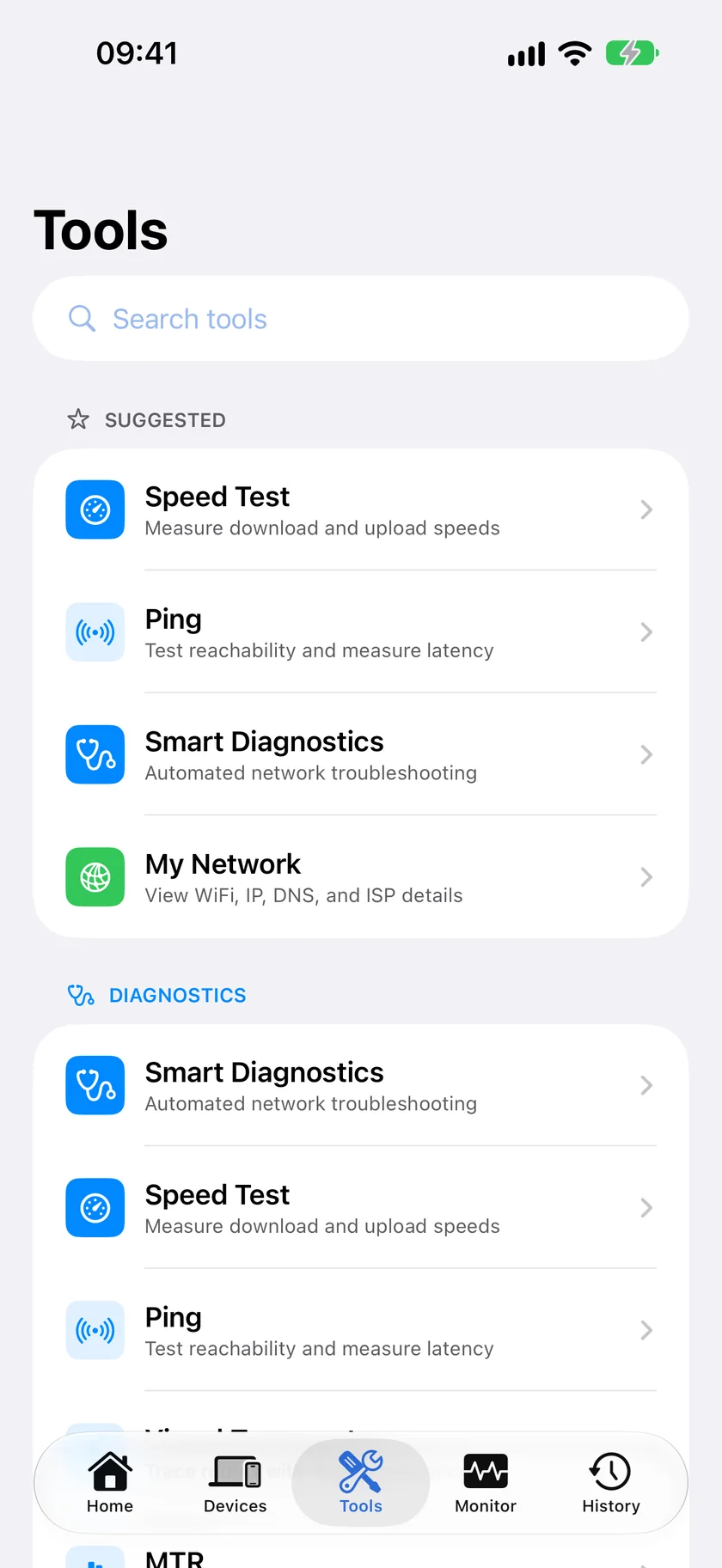
Short version. HE.NET Network Tools is Hurricane Electric's free toolkit for network engineers, with no ads, and it is good at what it does. PingKit is the free alternative when you want the devices on your network found and named, plus an HTTP analyzer, a speed test, Wake-on-LAN and a security scan: 19 tools, no ads, no account. HE.NET keeps the edge on iperf, the routing table and one-time passwords, which PingKit does not have.
The LAN scan, the port scanner, MTR, WHOIS and the SSL Inspector are free, with all 19 tools. No ads, no account.
HE.NET Network Tools is the free iPhone app from Hurricane Electric, the network operator behind he.net, and its App Store description says it is written for network engineers and system administrators. It has no ads, no in-app purchases and, per its App Store privacy label, collects no data, as listed on October 18, 2026. Its most recent update, version 1.7.4, is dated December 2023. People look for an alternative mostly when they want something it was never meant to be: an app that finds the devices on a home network and tells them what each one is.
Full disclosure: I build PingKit, so weigh the recommendation accordingly. The table below concedes every tool HE.NET has that PingKit lacks, and there are three of them.
What HE.NET Network Tools Includes
From its App Store listing and networktools.he.net, read on October 18, 2026: interface information, ARP and NDP lookups of local devices (IPv4 and IPv6), a Bonjour service browser, DNS lookup, an IP calculator, iperf tests (versions 2 and 3) against iperf servers, one-time passwords (TOTP and HOTP, with codes on Apple Watch), ping over IPv4 or IPv6, ping sweep, traceroute, progressive traceroute, a TCP port scan, a local routing table viewer, SSL/TLS information and WHOIS. It runs on iPhone and iPad, and on Macs with Apple silicon.
Tool by Tool
| Tool | HE.NET Network Tools | PingKit |
|---|---|---|
| Find devices on your network | ARP/NDP lookup, ping sweep | LAN scan, which also names devices from what they announce |
| Other devices' MAC addresses | Not available, its listing says, because iOS restricts them | Almost none, for the same reason; from 3.3.0 a NetBIOS answer fills some |
| Bonjour browser | Yes | Yes |
| Interface information | Yes | Network Interfaces, plus My Network |
| DNS lookup | Yes | Yes |
| IP or subnet calculator | Yes | Subnet Calculator |
| Ping | IPv4 and IPv6 | Yes |
| Traceroute | Yes | Visual Traceroute, hop list and map |
| Repeating per-hop statistics | Progressive traceroute | MTR |
| Port scan | TCP | TCP, UDP or both, on your own network only |
| SSL/TLS details | Yes | SSL Inspector |
| WHOIS | Yes | Yes |
| iperf | Yes | No |
| Routing table | Yes | No |
| One-time passwords | TOTP and HOTP, Apple Watch | No |
| HTTP requests and headers | No | HTTP Analyzer |
| Internet speed test | No; iperf instead | Speed Test |
| Wake-on-LAN | No | Yes |
| IP geolocation | No | Yes |
| Home network check | No | Security Scan, Smart Diagnostics |
| Ads, account | None | None |
The honest read: for the classic engineer's kit of ping, traceroute, DNS, WHOIS, TLS and a port scan, the two are close, and HE.NET has three tools PingKit does not. PingKit's lead is on the home network side: finding and naming your devices, and the tools for web and speed problems.
Where HE.NET Network Tools Is Better
- iperf. HE.NET runs iperf tests against an iperf server, which is how you measure throughput between two points you control, such as your phone and a server on your own network. PingKit's speed test measures your connection to Cloudflare's servers, with Apple's as a fallback. That answers a different question: how fast is my internet, not how fast is this link.
- The routing table. HE.NET shows the phone's local routing table. PingKit has no routing table view.
- One-time passwords. HE.NET doubles as a TOTP and HOTP code generator, with codes on Apple Watch. PingKit has nothing like it.
- IPv6, stated plainly. HE.NET lists NDP lookups of IPv6 neighbors and IPv6 ping by name. If IPv6 is your daily work, it was built with you in mind.
- It runs on a Mac. Its App Store listing includes macOS 11 or later on Apple silicon.
Where PingKit Is Better
- Your devices, named. HE.NET's lookup lists addresses. PingKit's LAN scan sweeps your network and names many devices from what they announce: Bonjour and SSDP, their own mDNS name, NetBIOS, LLMNR, SNMP and hostnames. Neither app can show most MAC addresses, because iOS hides them from every app.
- A map as well as a hop list. HE.NET's progressive traceroute and PingKit's MTR both repeat a trace and keep statistics per hop, so that one is close to a tie. PingKit adds Visual Traceroute, which plots the hops on a map.
- Web and speed tools. The HTTP Analyzer sends a request and shows the response, and the speed test measures download and upload. HE.NET has neither.
- UDP probes. HE.NET's port scan is TCP. PingKit's port scanner probes TCP, UDP or both, with presets or any custom range up to 65535.
- Home network extras. Wake-on-LAN, IP geolocation, Live Connection's running graph, the Security Scan and Smart Diagnostics.
The Port Scanner Difference
One design choice cuts both ways, so it gets its own section. PingKit's port scanner only scans addresses on your own local network: private, link-local and similar ranges. It resolves a hostname before scanning and refuses it if any address the name resolves to is public. That is deliberate. PingKit is built for checking your own devices, and it will not scan a host on the internet for you, even one you run.
If your job is checking a server you administer in a data center, that is a real limit, and a desktop tool on a computer you control is the better fit. If your job is your home network, it is the guard rail you want. Other iPhone options are compared in the best port scanner apps for iPhone.
Honest Limits
- No iperf, no routing table, no one-time passwords. If you use any of these each week, keep HE.NET installed; it costs nothing.
- Almost no MAC addresses. iOS hands apps a placeholder for other devices' hardware addresses. From PingKit 3.3.0 a NetBIOS answer fills one in for some Windows-style devices; most still show none.
- Traceroute hops carry no hostname. PingKit shows each hop's address and timing, not a name for it.
- No background scanning. iOS suspends the app when you leave it, as it does HE.NET. For watching your network over time you need a computer at home; PingKit's is the free Mac Agent.
- Port scans stay on your own network. Covered above.
Which to Keep
You are a network engineer who lives in iperf, routing tables and IPv6: HE.NET Network Tools was made for you, and nothing here is a reason to drop it.
You want to know what is on your home network and why something is slow: PingKit, for the device list, MTR, the speed test and the HTTP Analyzer, free with no ads.
Both: they are free and overlap less than the table suggests, and plenty of people keep both. For how PingKit compares with other kits, see Net Analyzer alternatives for iPhone and the best network tools for iPhone.
Frequently Asked Questions
Is HE.NET Network Tools free?
Yes. Hurricane Electric's HE.NET Network Tools is free on the App Store, with no in-app purchases listed and no ads, as listed in October 2026. Its most recent update, version 1.7.4, is dated December 2023.
What is the best alternative to HE.NET Network Tools on iPhone?
PingKit is a free alternative with 19 tools, no ads and no account. It matches HE.NET on ping, traceroute, DNS, WHOIS, TLS details, Bonjour browsing and port scanning, and adds device naming, MTR, an HTTP analyzer, a speed test and Wake-on-LAN. It has no iperf, routing table or one-time passwords.
Does PingKit have iperf?
No. PingKit's speed test measures your connection to Cloudflare's servers, with Apple's as a fallback. For throughput between two points you control, use an iperf client, such as HE.NET Network Tools, against your own iperf server.
Can PingKit scan ports on a server on the internet?
No. PingKit's port scanner only scans addresses on your own local network and refuses a hostname that resolves to a public address. It is built for checking your own devices.
Can an iPhone app show the MAC addresses of devices on my network?
Mostly not. iOS hands apps a placeholder instead of other devices' hardware addresses, and HE.NET Network Tools' own listing says so. PingKit shows almost none; from 3.3.0 some Windows-style devices fill one in from their NetBIOS answer. Your router's device list, or a Mac, shows the real ones.
19 tools, free, no ads
Device discovery, MTR, the port scanner, the HTTP Analyzer and the rest of PingKit's 19 tools, free on iPhone and iPad with no ads and no account.
Download Free on the App Store