PingKit for Gamers
Rubber-banding, hit registration problems, and random disconnects are almost never about your download speed. They're about latency, jitter, and packet loss - Ping Test measures latency and packet loss directly, and Connection Monitor tracks jitter.
Why Your Speed Test Lies to You
A 500 Mbps connection can still play terribly. Gaming doesn't need bandwidth - it needs consistency. Three metrics decide whether a game feels crisp or broken, and a speed test shows none of them well:
- Ping (latency) - how long your input takes to reach the server. Lower is better; under 50ms feels responsive.
- Jitter - how much that latency varies. High jitter causes rubber-banding even when ping looks fine.
- Packet loss - packets that never arrive. Even 1-2% wrecks hit registration in shooters.
The Tools You'll Use
| Problem | PingKit tool |
|---|---|
| Measure ping and packet loss | Ping Test |
| Find which hop is dropping packets | MTR |
| Check link quality at your gaming spot | Connection Monitor |
| Confirm your plan's real speed | Speed Test |
| Watch for disconnects and check jitter over time | Connection Monitor |
Diagnose Lag in 3 Minutes
- Ping your router for 60 seconds, or check Connection Monitor for jitter. Low, steady latency means your LAN is fine; a spiky reading here means WiFi is the problem - switch to 5GHz or Ethernet.
- Ping the game's region server (or
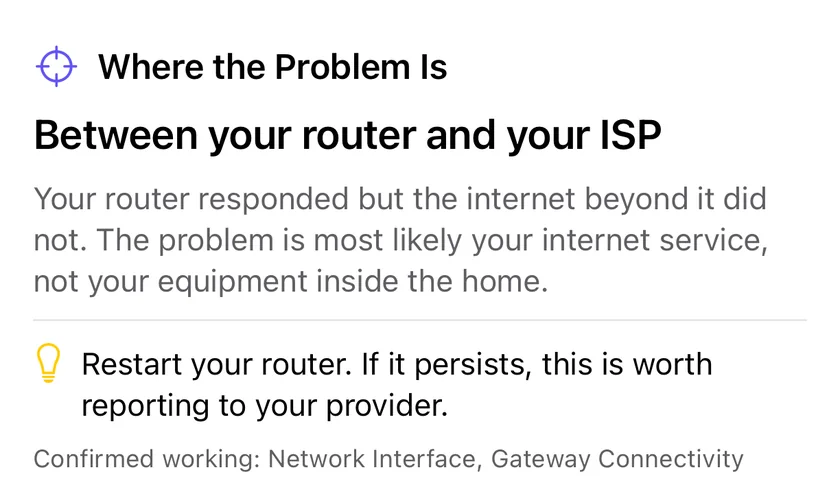
1.1.1.1as a proxy). If LAN was clean but this is spiky, the problem is your ISP or the route. - Run an MTR to the server. It shows per-hop loss, and best/average/worst latency - if a specific hop inside your ISP's network is bad, you now have evidence for a support ticket.
Pro tip: WiFi power-save mode on iPhone and consoles shows up as huge jitter spikes. For competitive play, wired Ethernet (via adapter) eliminates an entire class of problem.
Common Fixes, Cheapest First
- Switch from 2.4GHz to 5GHz (less interference, lower latency).
- Move closer to the router or add a mesh node - check signal with the WiFi Analyzer.
- Enable QoS / SQM on your router to kill bufferbloat when someone else streams.
- Go wired for the device you game on.
Related Use Cases
Stop Guessing About Lag
PingKit measures ping, jitter, and packet loss so you know exactly what's wrong. 19 free tools, no ads.
Download PingKit Free